
IP practices span solo trademark agents, boutique attorneys, and full corporate IP departments — the workflow underneath is the same. Here's a category-by-category buyer's guide.
Searches like trademark practice management software, IP case management software, or software for trademark attorneys usually describe the same underlying need from slightly different angles: an IP practice — whether that's a solo trademark agent, a boutique firm, or a corporate IP department — needs case tracking, billing, client communication, and reporting to work together, not as five disconnected subscriptions.
This guide breaks that need into the categories people actually search for, and what each one should deliver.
This is the foundation: trademark case management software or IP practice management software tracks every matter — its status, the responsible attorney or agent, the client, and its history. That includes contentious matters, not just filings: opposition proceedings and litigation need their own case record too, so a search like software for trademark suits recording intellectual property is really asking for the same case-tracking discipline applied to disputes as to filings — one record, one status, one history, not a separate system for the moment a matter becomes contested. For a law firm software trademark setup specifically, this needs to understand trademark-specific concepts (classes, jurisdictions, office actions) rather than treating a trademark matter like a generic legal case.
A trademark client portal or IP client portal gives clients their own login to check on their marks and invoices directly, instead of emailing the firm for status updates. Done well, this is strictly read-only or limited-access — clients see their own matters, not the firm's internal tools — and it measurably cuts down on routine status-check correspondence.
Clients aren't the only outside party who needs limited, self-service visibility — associate firms and correspondent agents do too. A well-built system gives associates their own login, scoped strictly to their own referred clients and matters, with each section (dashboard, clients, trademarks, renewals, invoices) individually switched on or off by the firm rather than granted wholesale. An associate should never be able to see another associate's referrals, and the firm should control exactly how much of the practice is visible to them.
Not every matter starts with an invoice — many start with a quote. An offers or proposal module lets a firm send a priced estimate before work begins, with its own PDF output, and convert it into an actual invoice once the client accepts, rather than re-keying the same line items twice.
Trademark document management software and IP records management software cover where specimens, certificates, and correspondence actually live. The test that matters here isn't storage capacity — it's whether a document is attached to the right matter automatically, and whether anyone can find it in seconds rather than digging through a shared drive.
Trademark billing software, IP billing software, and associate billing software solve a specific problem that generic legal invoicing software often gets wrong: many trademark matters are billed through an associate firm on behalf of an underlying client, and that routing needs to stay correct even as the relationship changes over time. Purpose-built trademark billing keeps a snapshot of who was billed for each past invoice, rather than silently rewriting history when a routing changes.
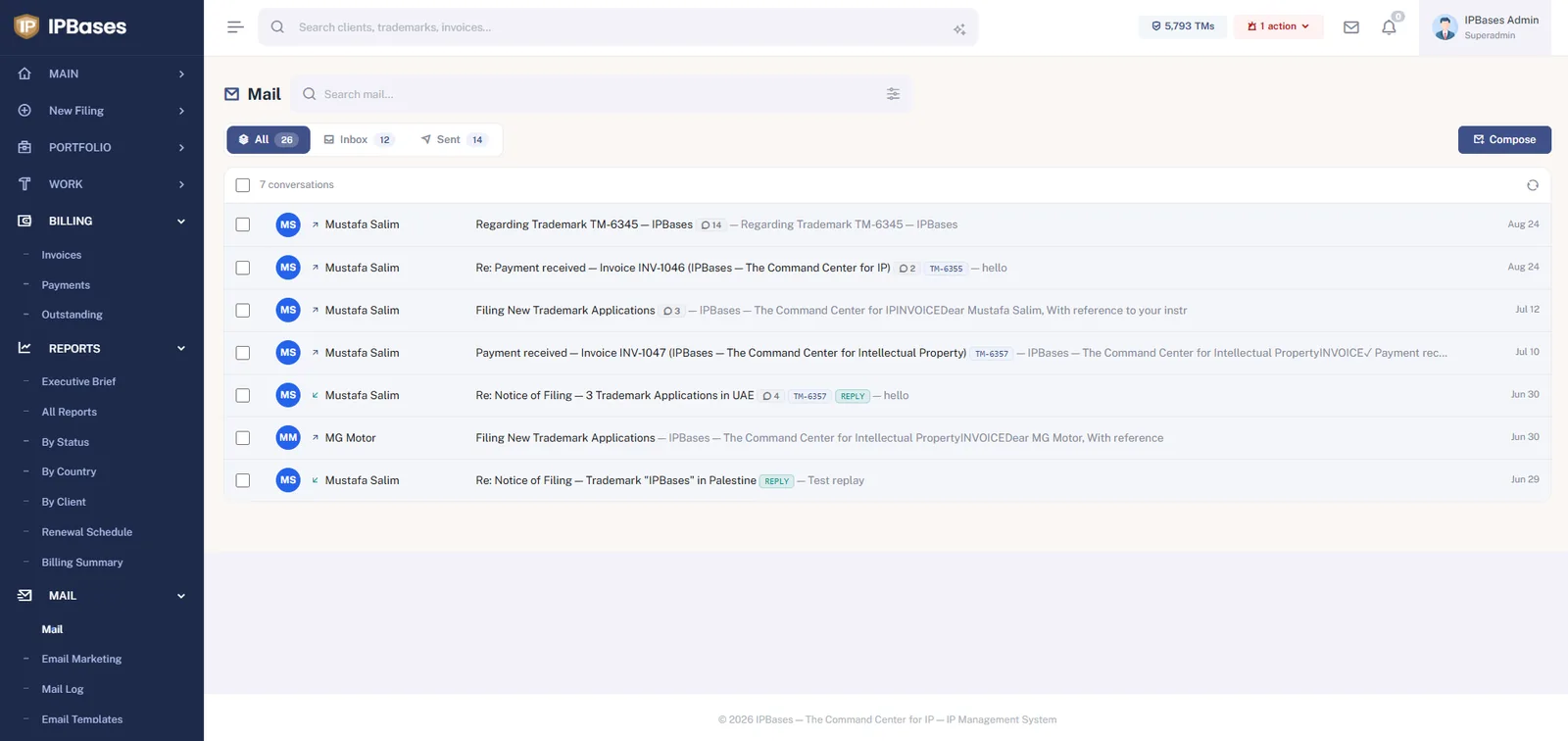
Client correspondence software, email management for trademark firms, and what people sometimes call a trademark CRM or IP CRM cover keeping every client email tied to the matter it concerns, in one searchable place — rather than scattered across individual staff inboxes where a departing employee can take the history with them.
Trademark analytics software, IP analytics dashboard, and trademark reporting software turn the day-to-day data into something a partner can actually use: collection rate, renewals due, jurisdiction spread, top clients by billing. The difference between a good and mediocre system here is whether this view is live, or something someone has to assemble by hand before a partner meeting.
Two smaller pieces round out day-to-day practice management: a simple task list for the to-dos that don't rise to the level of a formal docketed deadline, and expense tracking per matter — official fees paid out, courier costs, translation charges — so a firm can see the true cost of a filing next to what was billed for it, not just the revenue side.
The categories above matter differently depending on scale. A solo trademark agent mostly needs filing, billing, and client communication in one place — practice management overhead has to stay light. A corporate IP management software buyer inside a larger department cares more about role-based permissions, audit trails, and reporting across many stakeholders. The honest answer to "what software should I use" depends on which end of that spectrum you're on — but the underlying data model (one record per matter, connected to its billing, documents, and correspondence) should look the same either way.
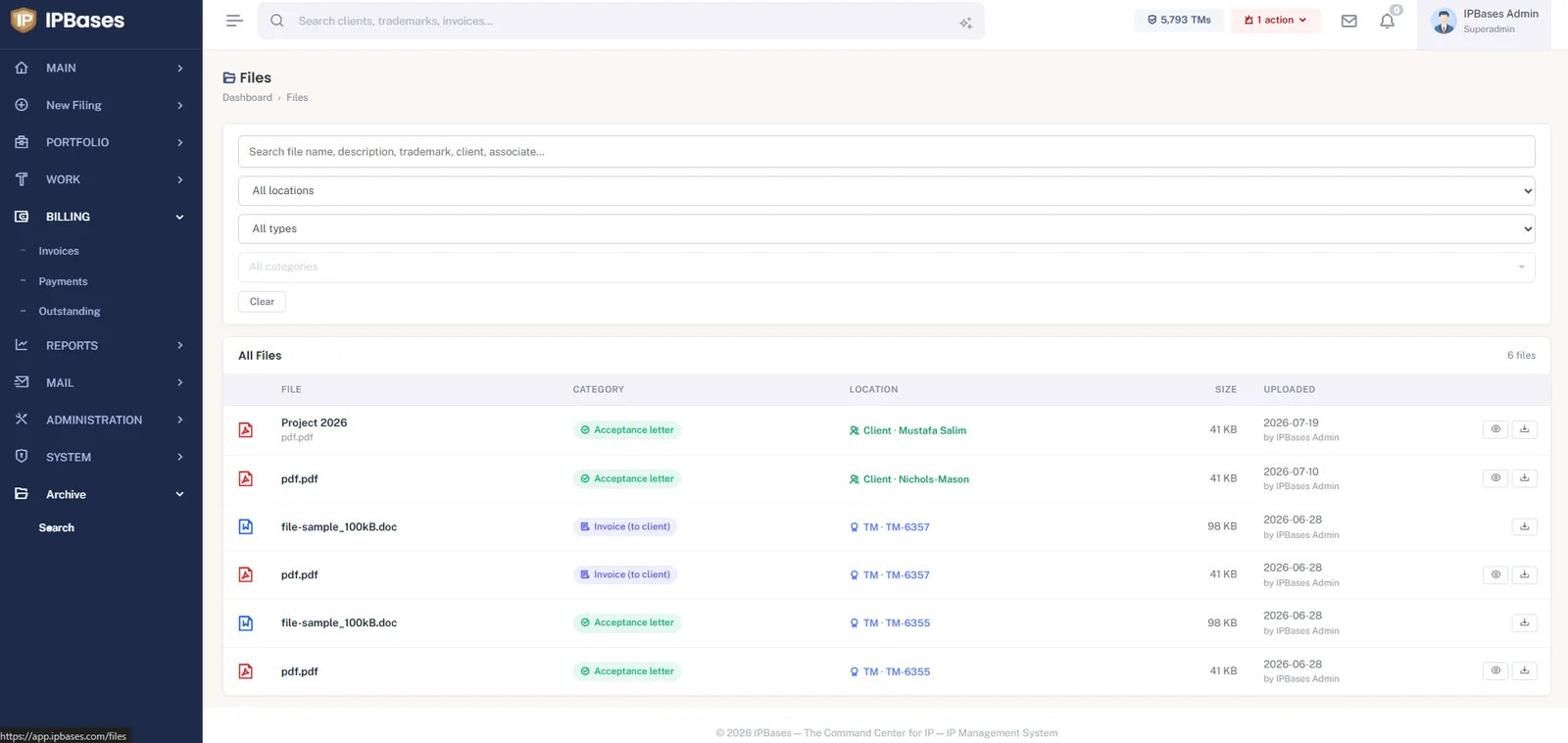
Every document is filed with a category and a location — the trademark or client it belongs to — and uploaded with an author trail. Search by file name, description, trademark, client or associate across the whole archive. Storage itself is pluggable: local disk, Amazon S3, Cloudflare R2 or Google Drive.
Industry bodies are also part of a firm’s toolkit: INTA for practice standards and networking, and WIPO for the treaties and classification systems your software has to model correctly.
IPBases connects case management, billing, a client portal, correspondence, and reporting in one system — built for IP practices of every size.
Book a demo → See pricing →