
The whole IP practice, in one system.
A tour of IPBases module by module, with a recorded walkthrough and screens from the real software running on made-up demo data.
Watch a filing happen
From the morning dashboard to the renewal plan: a trademark filed, invoiced and notified in one sitting.
A filing, start to finish
Recorded in IPBases on demo data, 71 seconds. Jump to a step:
Every module, on real screens
IPBases covers the whole practice. These are the parts firms use every day.
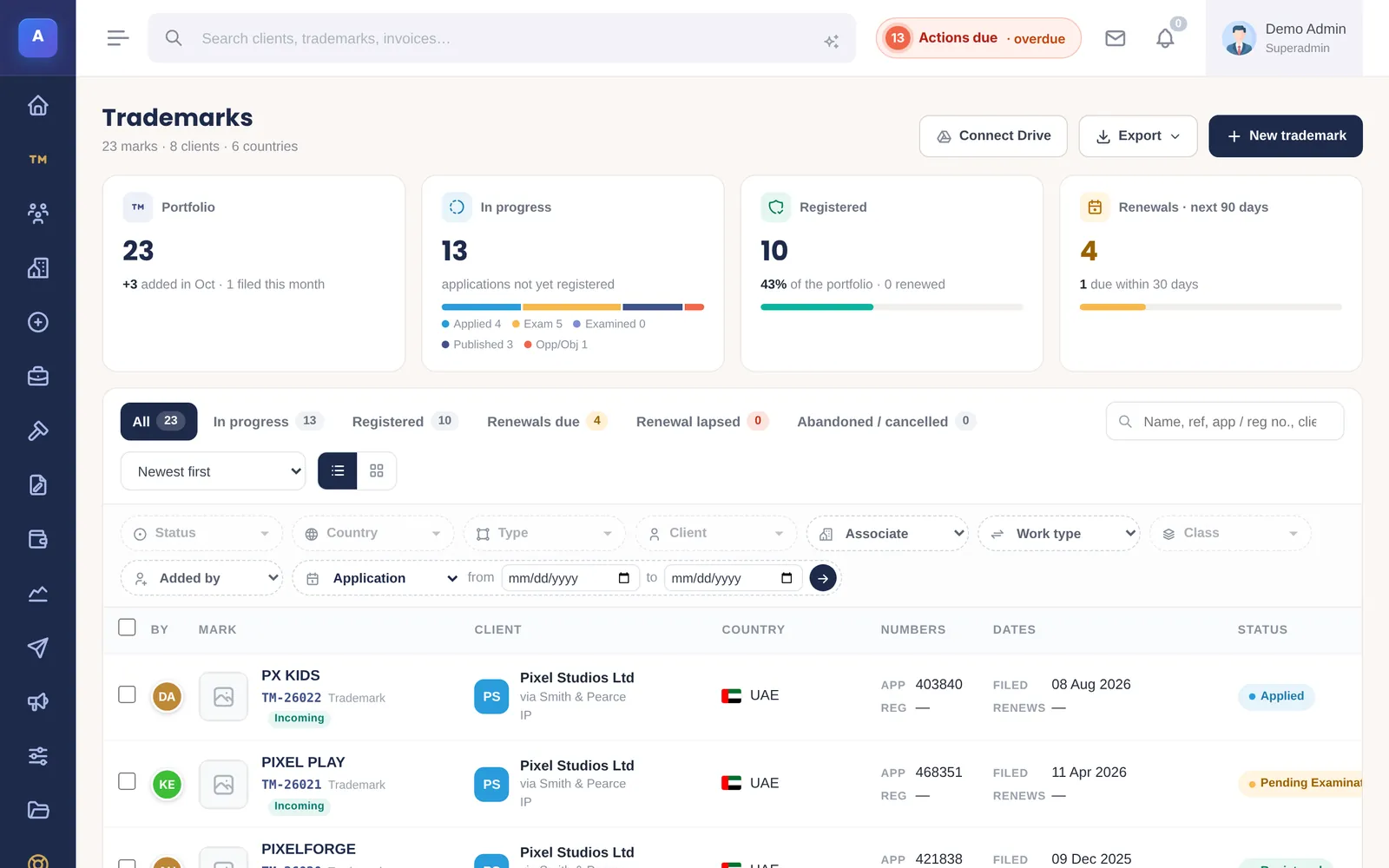
Portfolio & filing
Every mark in every office, with its classes, status, route and logo. A new filing is one form; the files unlock the moment it is saved.
- Mark names in English and Arabic, logo, Nice classes 1–45
- National or Madrid route, incoming or outgoing work
- Duplicate warning for the same number, country and classes
- “Duplicate this trademark” to file the same mark in another country
- Filters by status, country, class, client, associate and who added it
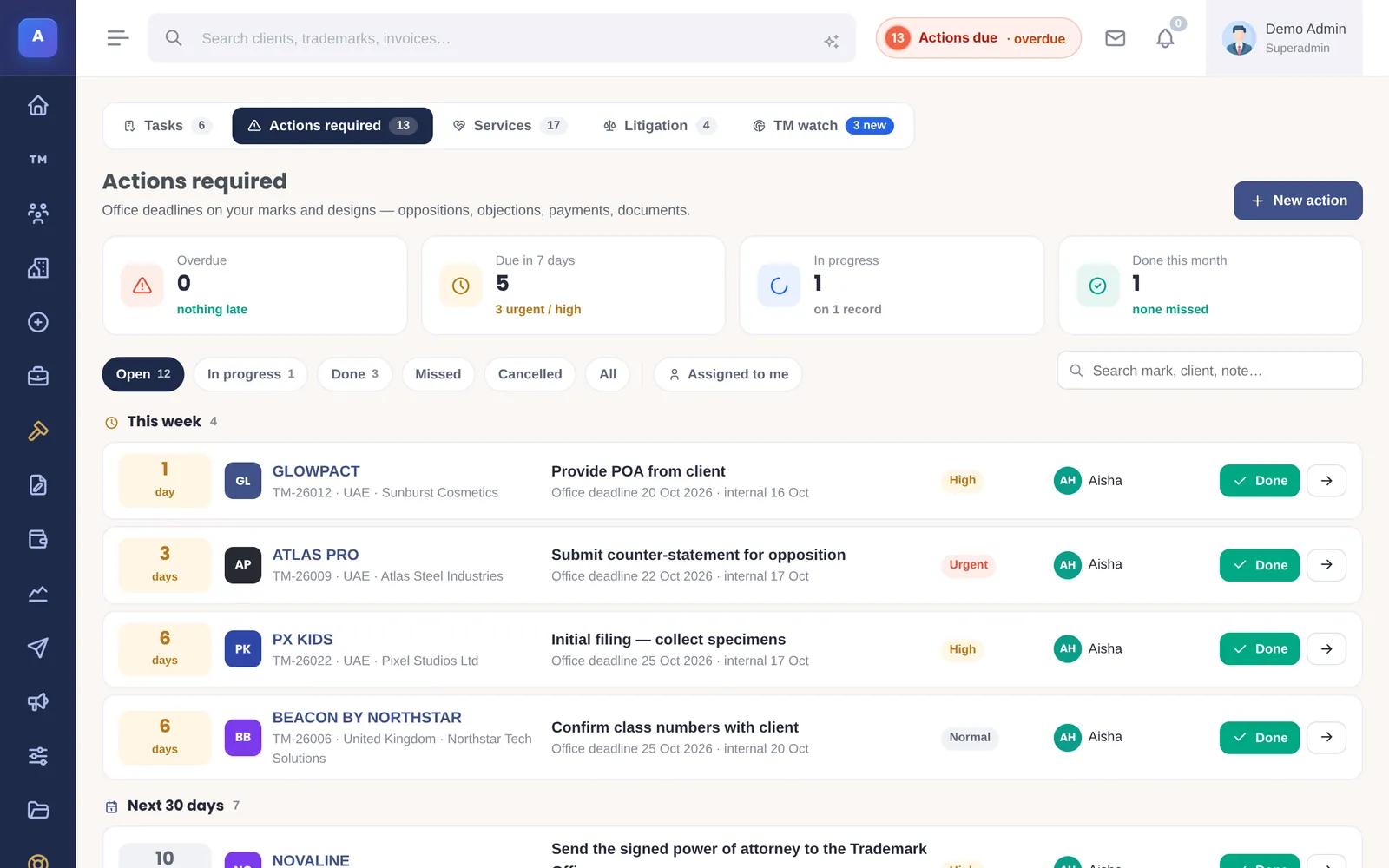
Deadlines & renewals
Each action carries two dates — the office’s deadline and your own — and a person responsible. Renewals are planned a year ahead.
- Actions required with office and internal deadlines, snooze and done
- “Your next steps” for each person, worked out from their records
- Renewals due in 30, 90 days and 12 months; grace period and lapsed
- Scheduled renewal reminders, one email per client
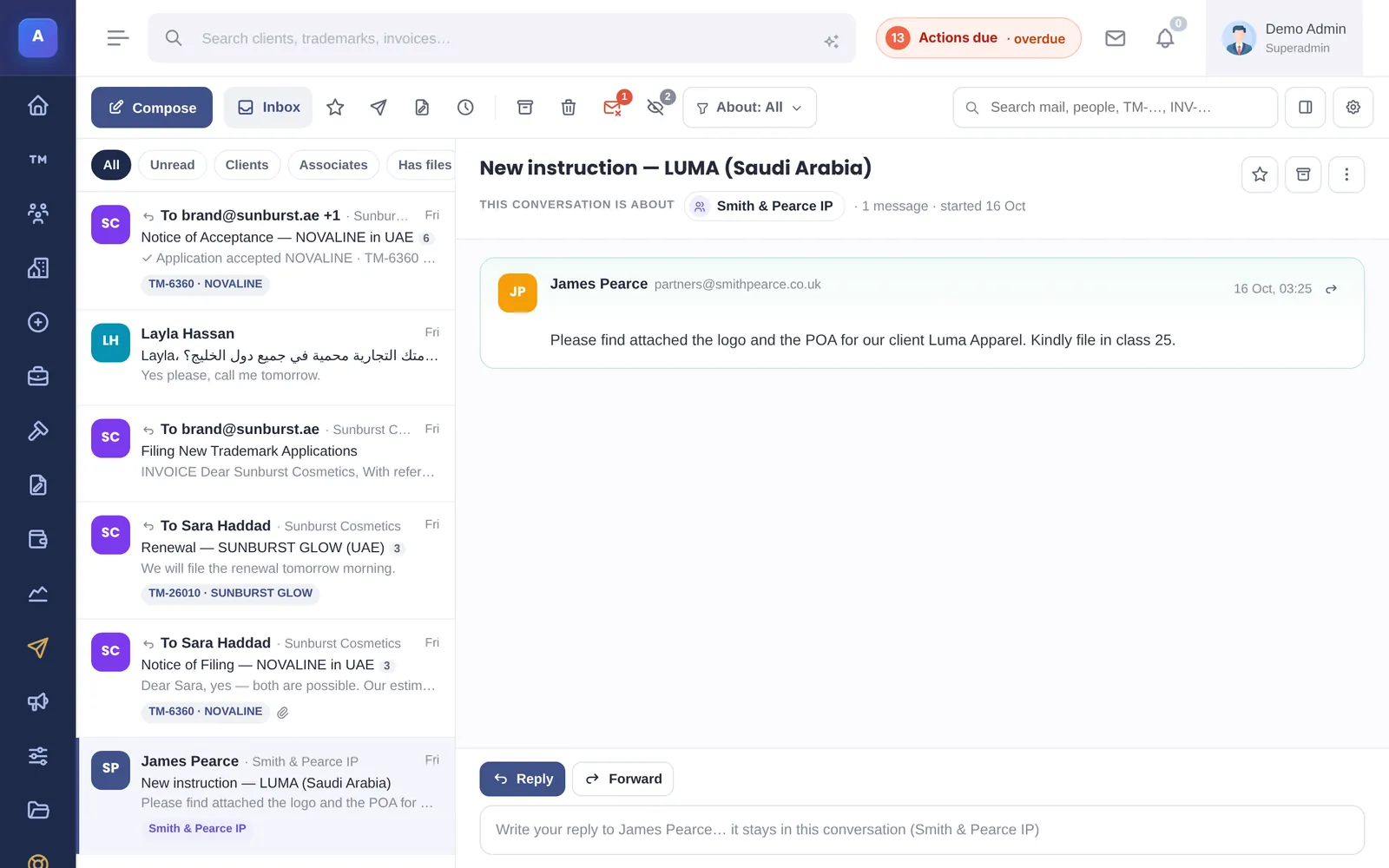
Documents & mail
Files live on the trademark, client or associate they belong to. Email lives there too: conversations are matched to the record they are about.
- Document categories with in-app preview
- Storage on your server, Amazon S3 or Cloudflare R2; optional Google Drive sync
- Mail inbox with replies matched to the client and the mark
- Attachments received by email saved to the record
- Mail log with delivery and open events
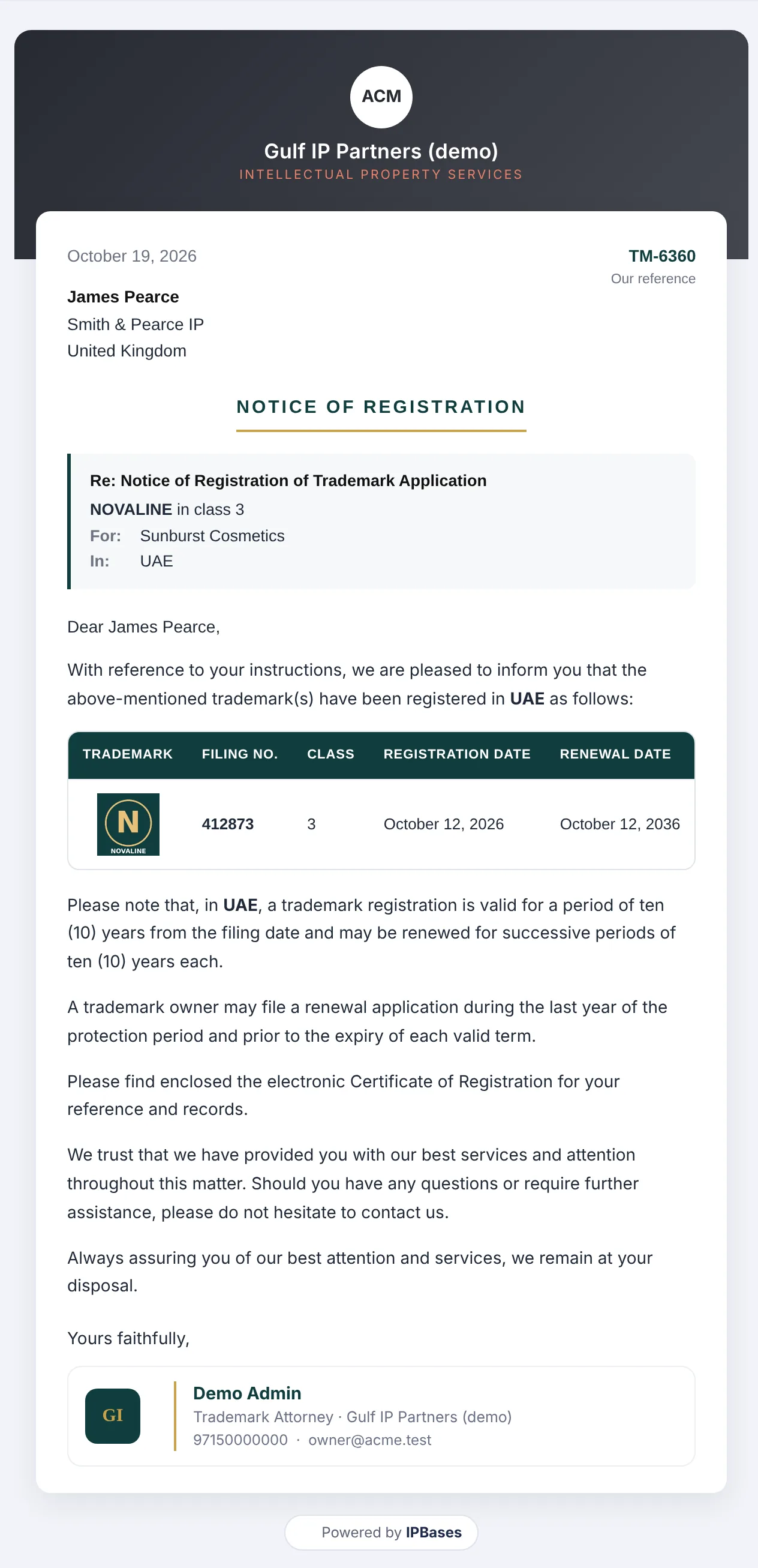
Client notices & certificates
Filing, acceptance, publication and registration notices are written from the record, in English or Arabic, and sent as an email, a PDF letter or by WhatsApp.
- Templates per milestone, filled with the mark’s data
- Letters on your letterhead in both languages
- A “Trademark Registered” certificate in your colours, attached automatically
- Email colours and signature set in Branding
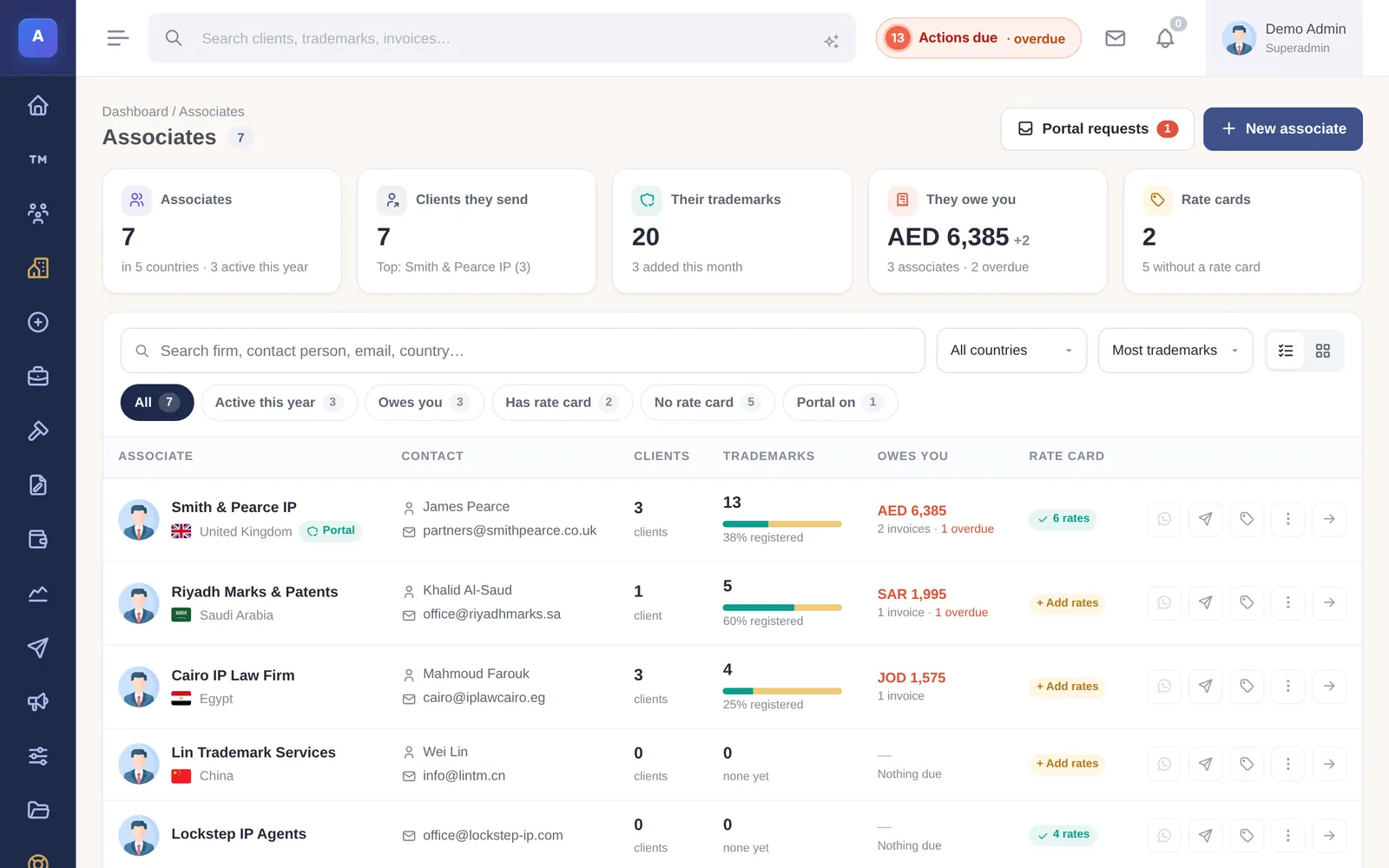
Clients & correspondents
Clients, the associates who send you work and the agents you instruct abroad, each with what they owe and what they own.
- Associates with rate cards and the clients they send
- Bill the client directly or through the associate
- Client portal and associate portal, with requests
- Reachable on email and WhatsApp from the record
Client & associate portals
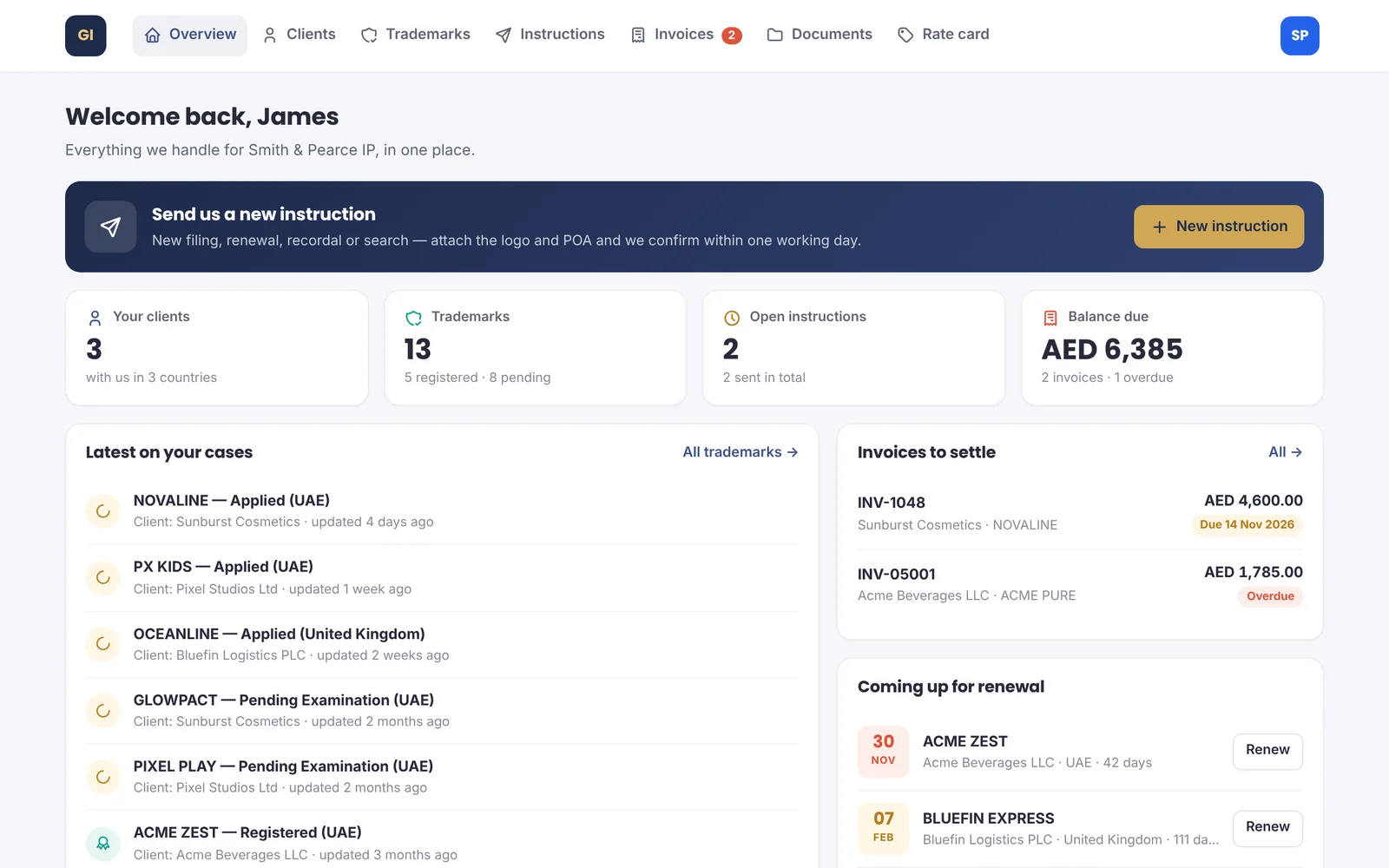
Clients and the correspondents who send you work sign in to their own portal on your domain. Each sees only their own records, and every request lands in your team’s inbox.
- Clients follow each mark from filing to registration, with renewals coming up
- Correspondents send new instructions with the logo and POA attached
- Invoices and documents to download; files sent straight to your team
- You choose what each portal shows, and can preview it as the client sees it
Billing & proposals
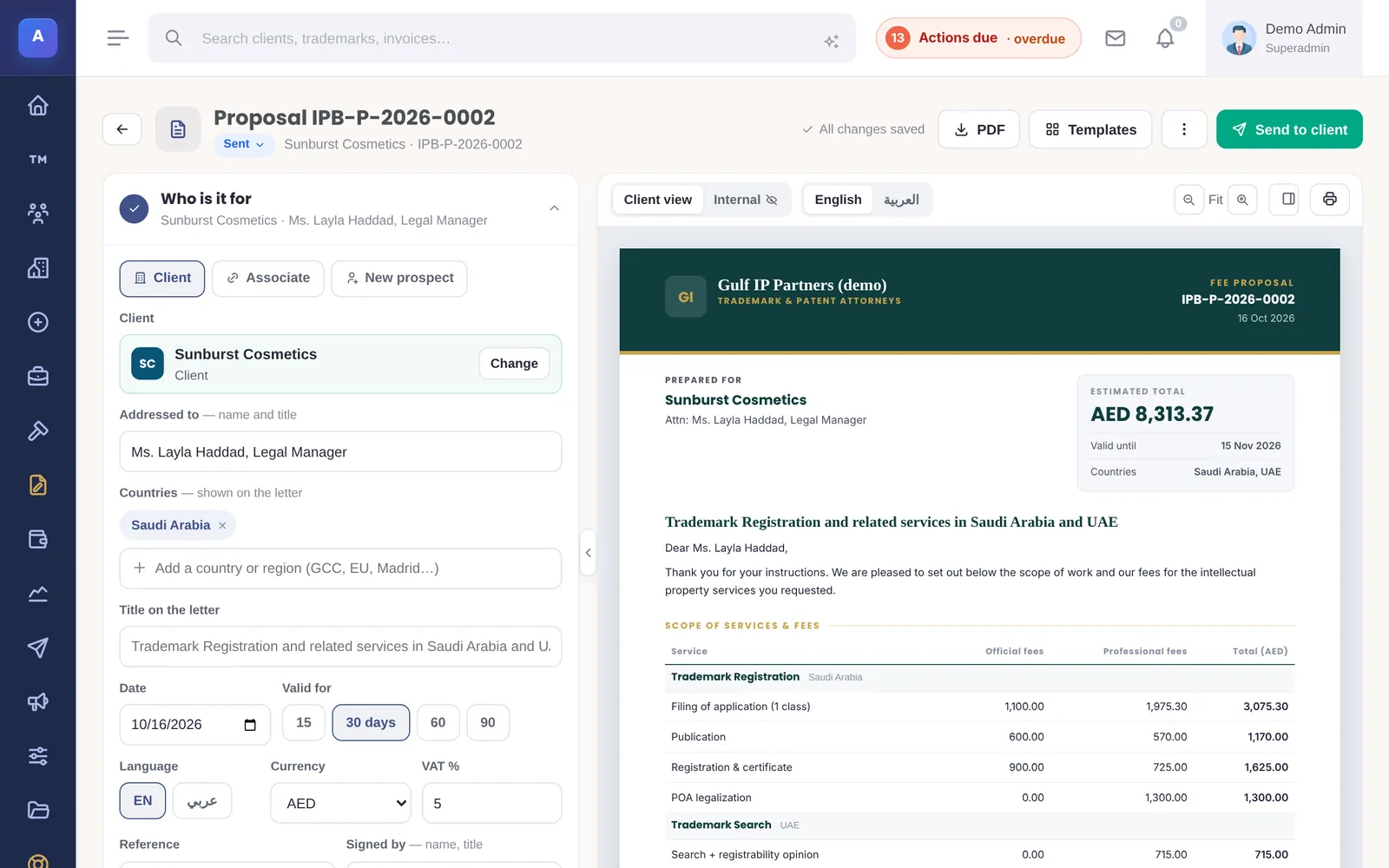
Invoices are built beside a live A4 preview. Fee proposals are written in a studio with the jurisdictions, fees and your terms, in English or Arabic.
- Invoices in AED, SAR, KWD, QAR, USD, EUR and more
- Services catalogue: billable work not yet invoiced
- Payments, partial payments and aging per currency
- Optional online payment link on invoices (Stripe)
- Fee proposals with country fees, sent for the client to accept
Reports
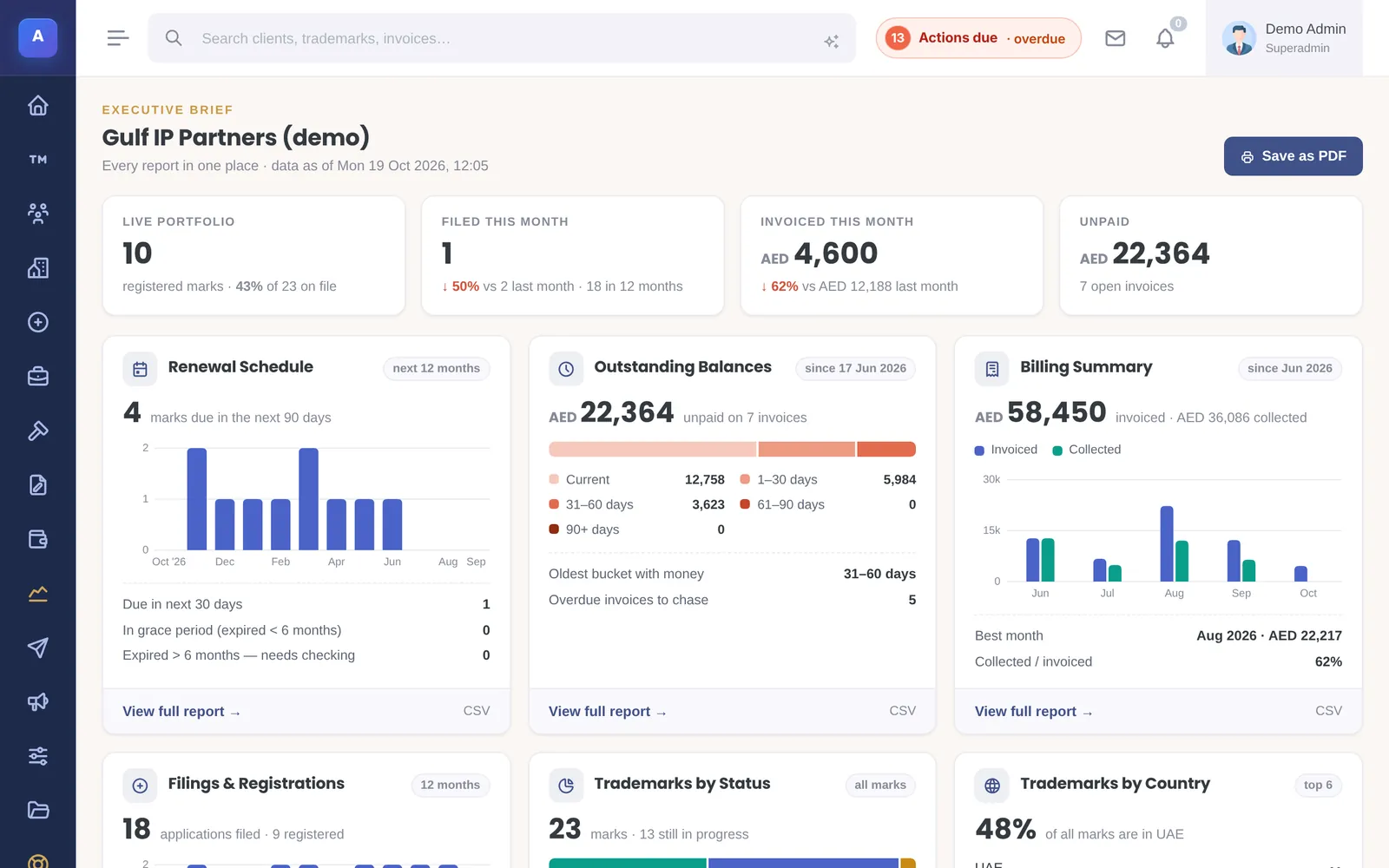
The Executive Brief summarises every report on one page; each card opens the full report.
- Renewal schedule, outstanding balances and billing summary
- By status, by country and by client
- Billing converted to one currency total
- Save as PDF or export to CSV
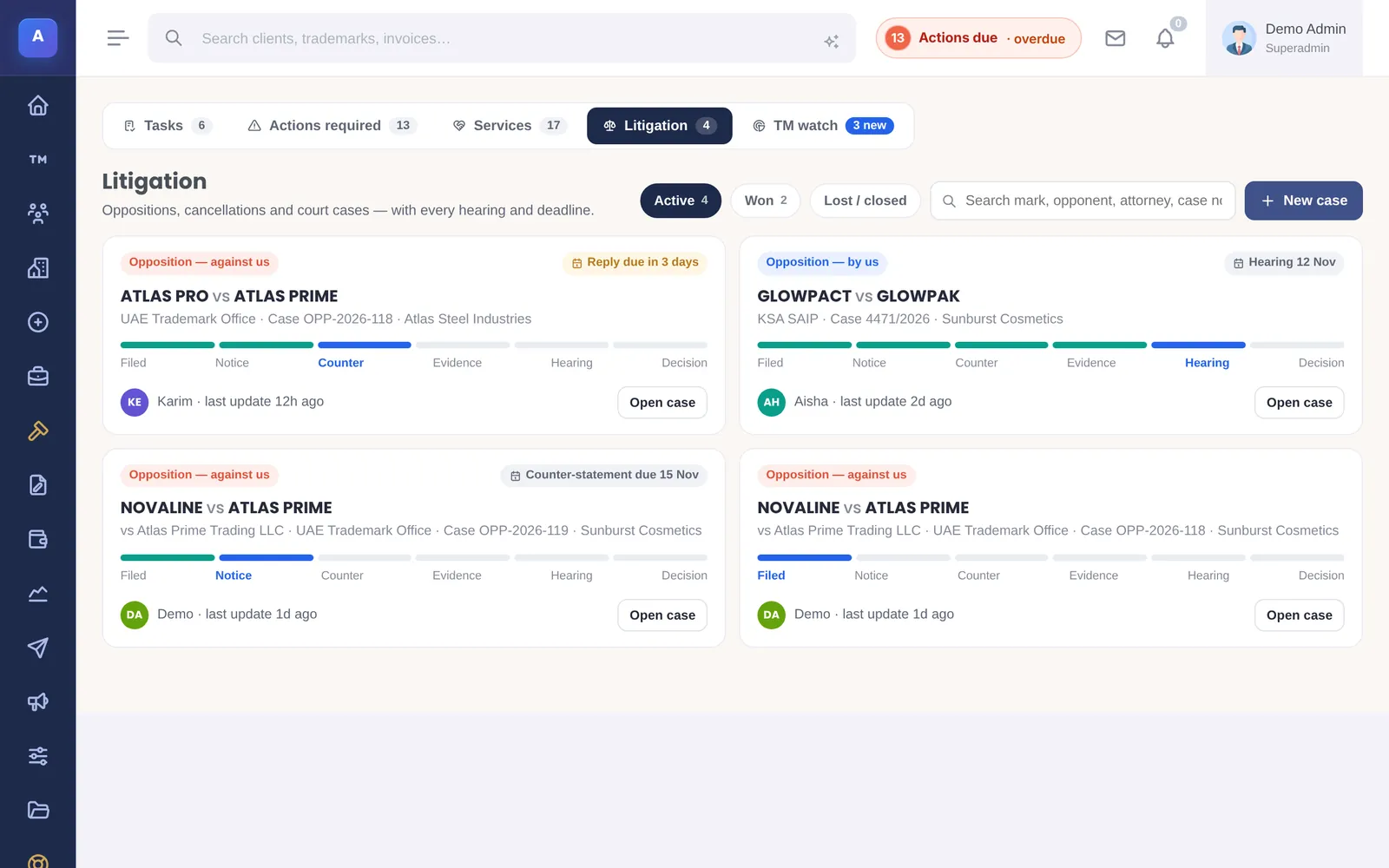
Watch & litigation
Marks published in the gazette that look or sound like your clients’ marks come in as watch hits. Escalate one and it becomes a case.
- Watch hits with a similarity score and the opposition deadline
- Cases with stages from filing to decision, and the other side
- Case timeline and case files
- Optional: ask Claude about a case and its files, with your own API key
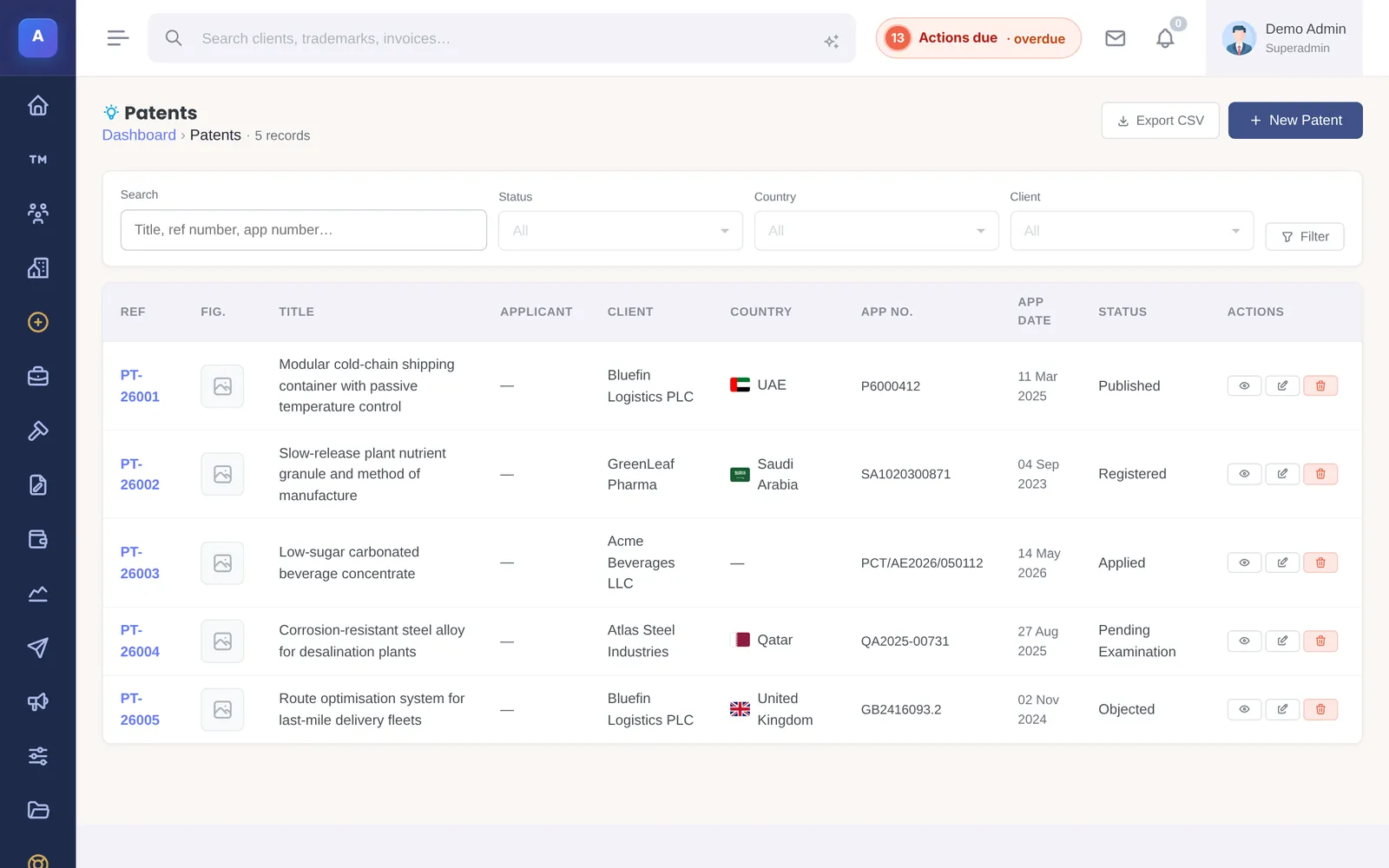
Patents & industrial designs
Patents and designs sit next to trademarks, with the same clients, files, invoices and deadlines.
- Patents: national, regional and PCT, claims, grant and annuity dates
- Industrial designs with Locarno classes and Hague applications
- Priority claims, office actions and annuities on the record
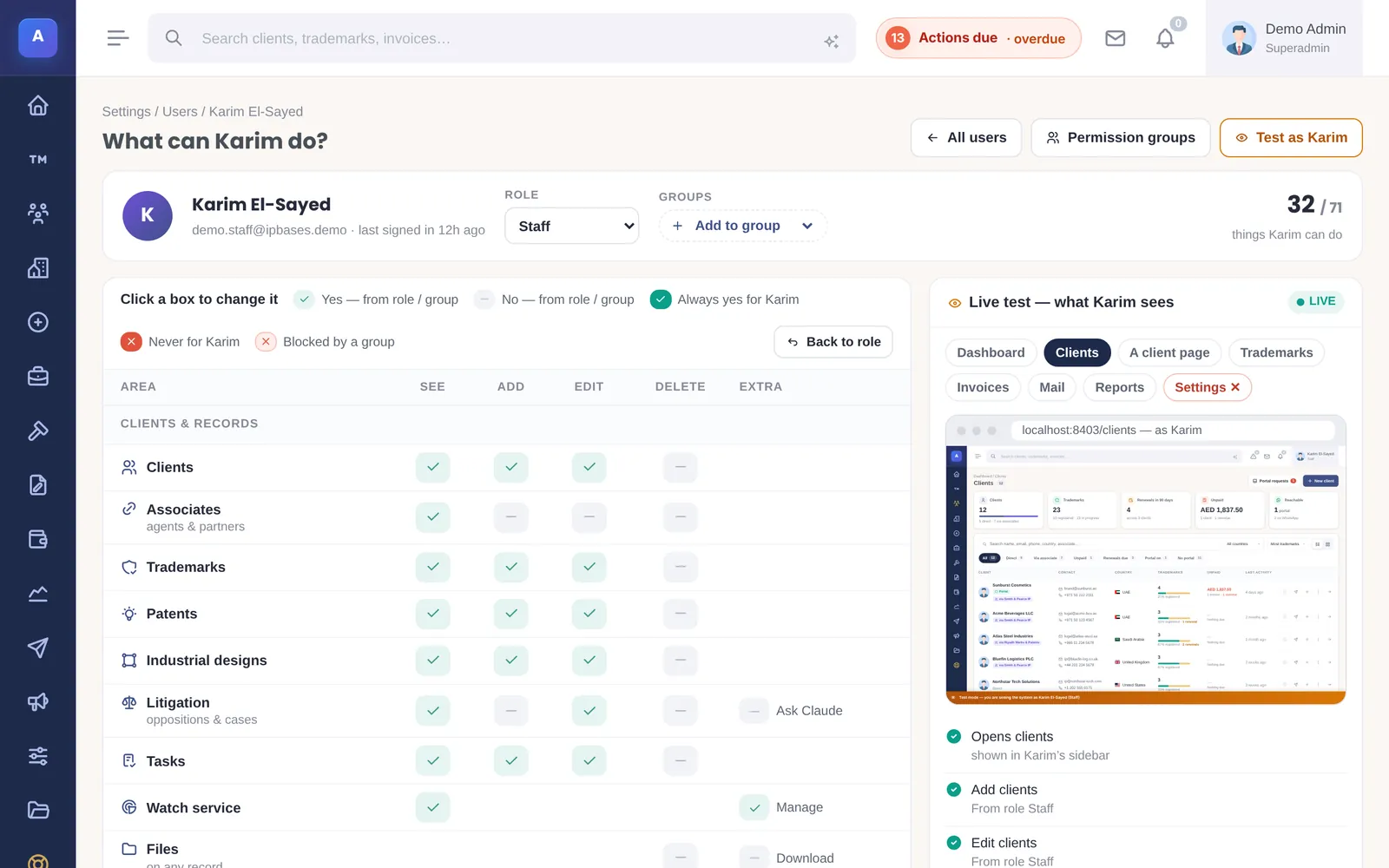
Team, permissions & audit
Give each person exactly the access they need, test it before they log in, and keep a record of every change.
- Roles plus permission groups with Allow and Never rules
- A live preview of what a colleague can see
- Audit log of every change, with before and after
- Sign-in checks by country, emailed codes and trusted devices
- Scheduled database backups to your storage
And the rest of the system
Tasks
A board for the team’s to-do list, linked to marks and clients.
Services
Every billable step on a filing, ticked off and invoiced together.
Email campaigns
Newsletters and announcements to clients and associates, with opens and clicks.
Live team activity
Who filed, uploaded, invoiced or wrote to a client, as it happens.
Help Center
Chapters that teach new staff how clients, associates and marks connect.
Branding
Your logo, colours, letterhead, email template and certificate design.
Trademark search
Connect search providers such as USPTO and EUIPO to search from inside IPBases.
Required fields
Decide which fields every filing must have before it can be saved.
Claude AI (optional)
Ask questions about your records with your own Anthropic API key; off unless you switch it on.
See IPBases with your own eyes
Open the live demo and click around a real IPBases with realistic data. Questions about your firm, your marks or your Excel sheet? Ask us on WhatsApp or by email.
Message us on WhatsApp or email [email protected].