
Professional vs. official fees, billing through foreign associates, multi-currency ledgers and aging — IP billing has rules generic invoicing tools don’t know. Here’s how IPBases handles them, with real screenshots.
Trademark billing has a shape that general invoicing tools don’t understand. Fees split into professional fees and official fees. Work is often instructed by a client but billed through a foreign associate — sometimes with the client named on the invoice, sometimes deliberately not. Portfolios bill in multiple currencies. And every invoice belongs to a matter, not just an account. IPBases builds all of that into the billing module itself, so the docket and the money never live in two systems.
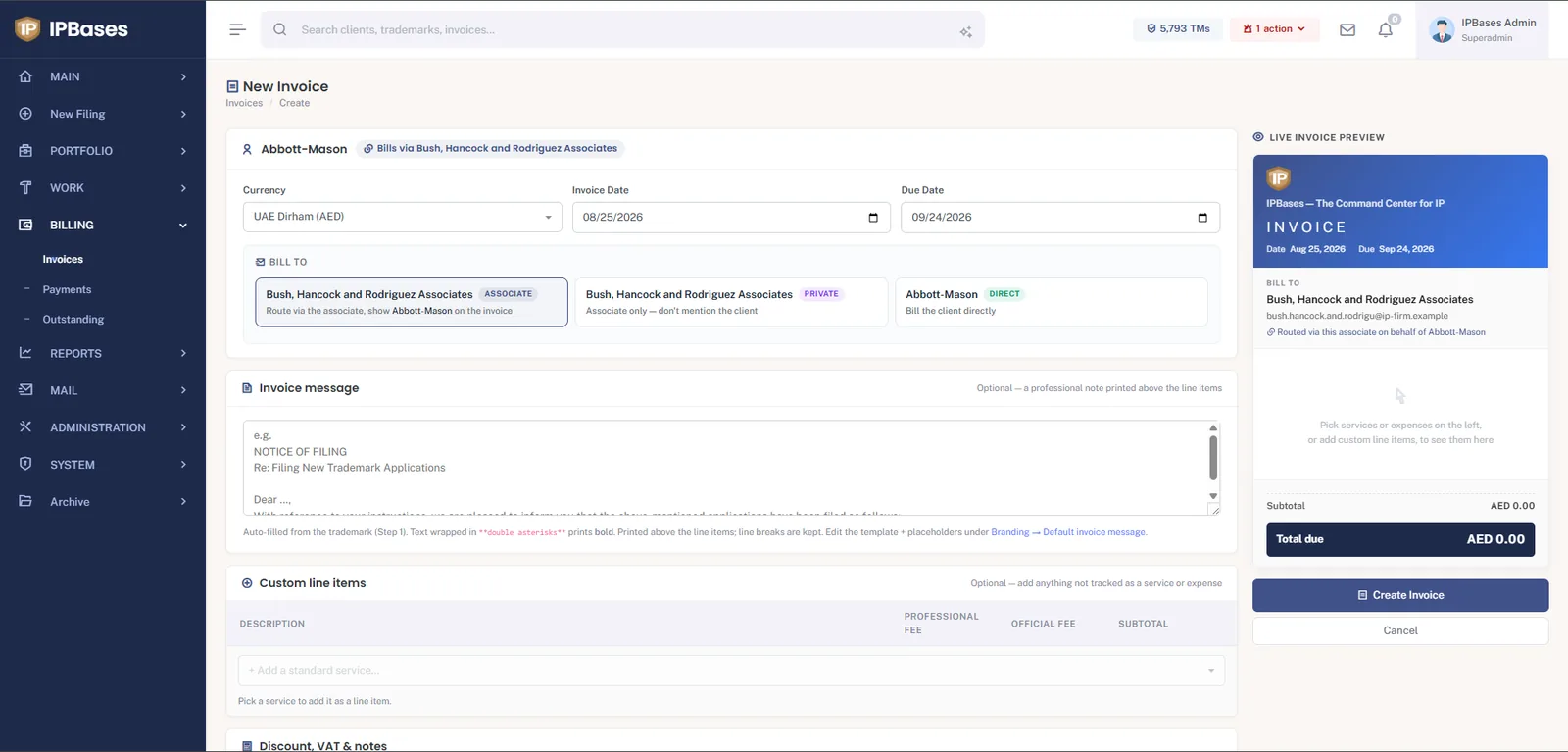
This one screen is the reason firms working through agent networks choose purpose-built software. For every invoice you pick who it’s really for:
Everything else on the screen works the way an IP invoice should: currency per invoice (AED, USD, EUR…), an invoice message auto-filled from the trademark — placeholders like the client name, mark, country and classes merge in from Step 1 of the filing wizard — line items split into professional fee and official fee columns, discount and VAT handling, and a live preview that shows the exact branded PDF the recipient will get, updating as you type.
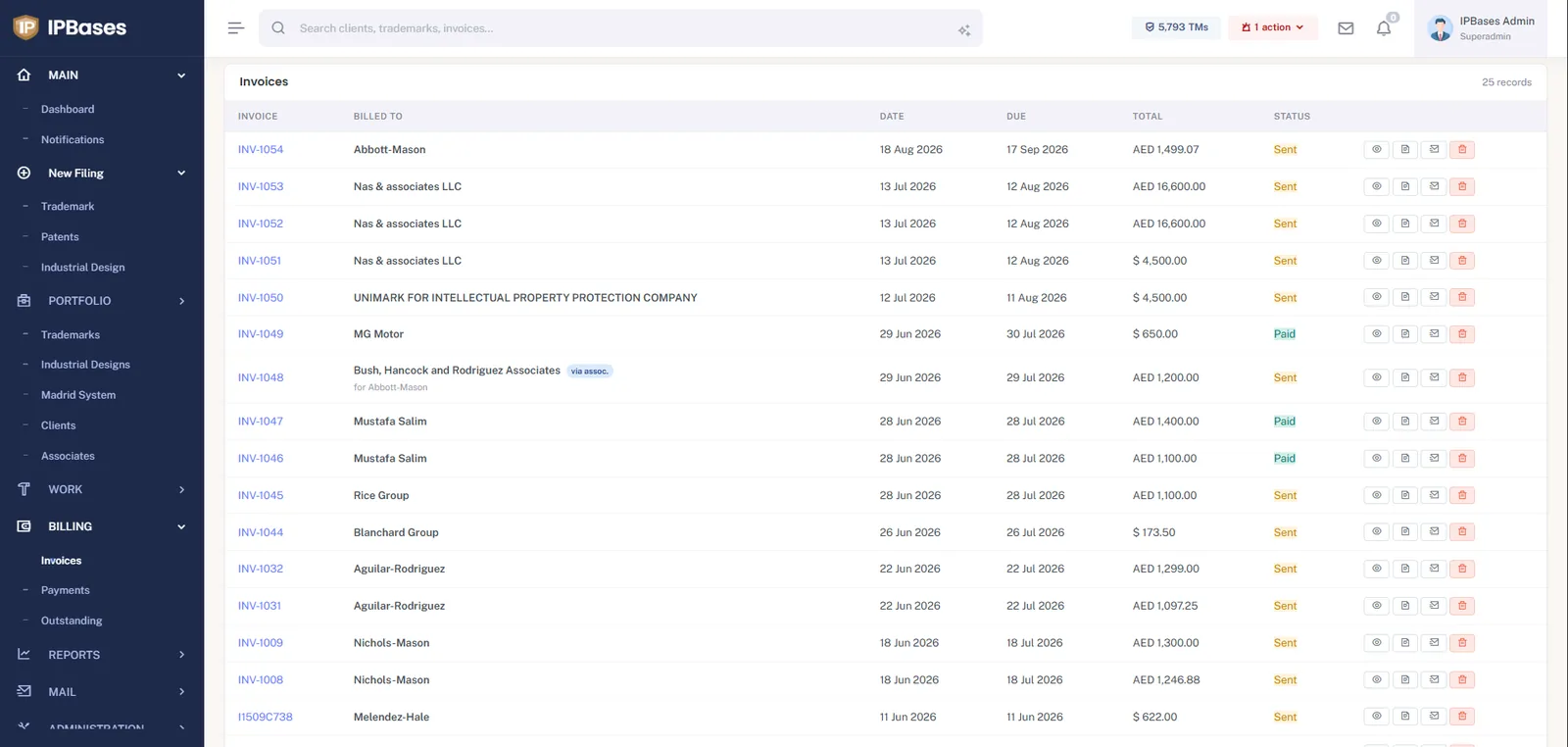
The register shows every invoice with its status, currency and routing at a glance — including the via assoc. badge with the underlying client named beneath. From each row you can view, download the PDF, or email the invoice directly to the recipient through the system’s own mail module, so sending an invoice and logging that you sent it are the same action.
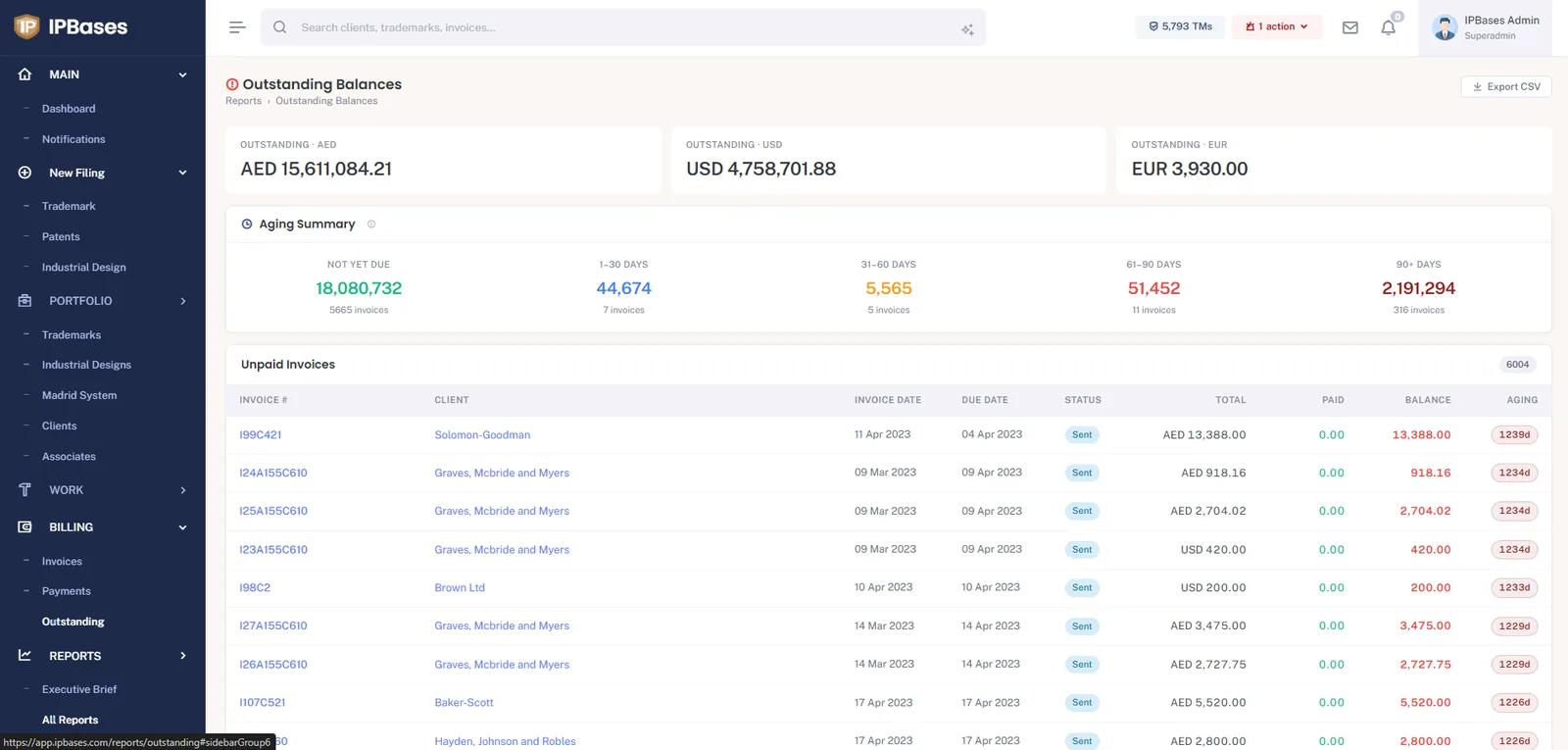
Collections is where spreadsheets quietly cost firms real money. The Outstanding report keeps a running total per currency — mixing AED and USD into one fake number helps nobody — an aging summary (not yet due, 1–30, 31–60, 61–90, 90+ days), and the full unpaid list with an aging chip on every invoice. One click exports it to CSV for the accountant. The related Billing Summary and per-client reports answer “who owes us what, and for how long” without a single formula.
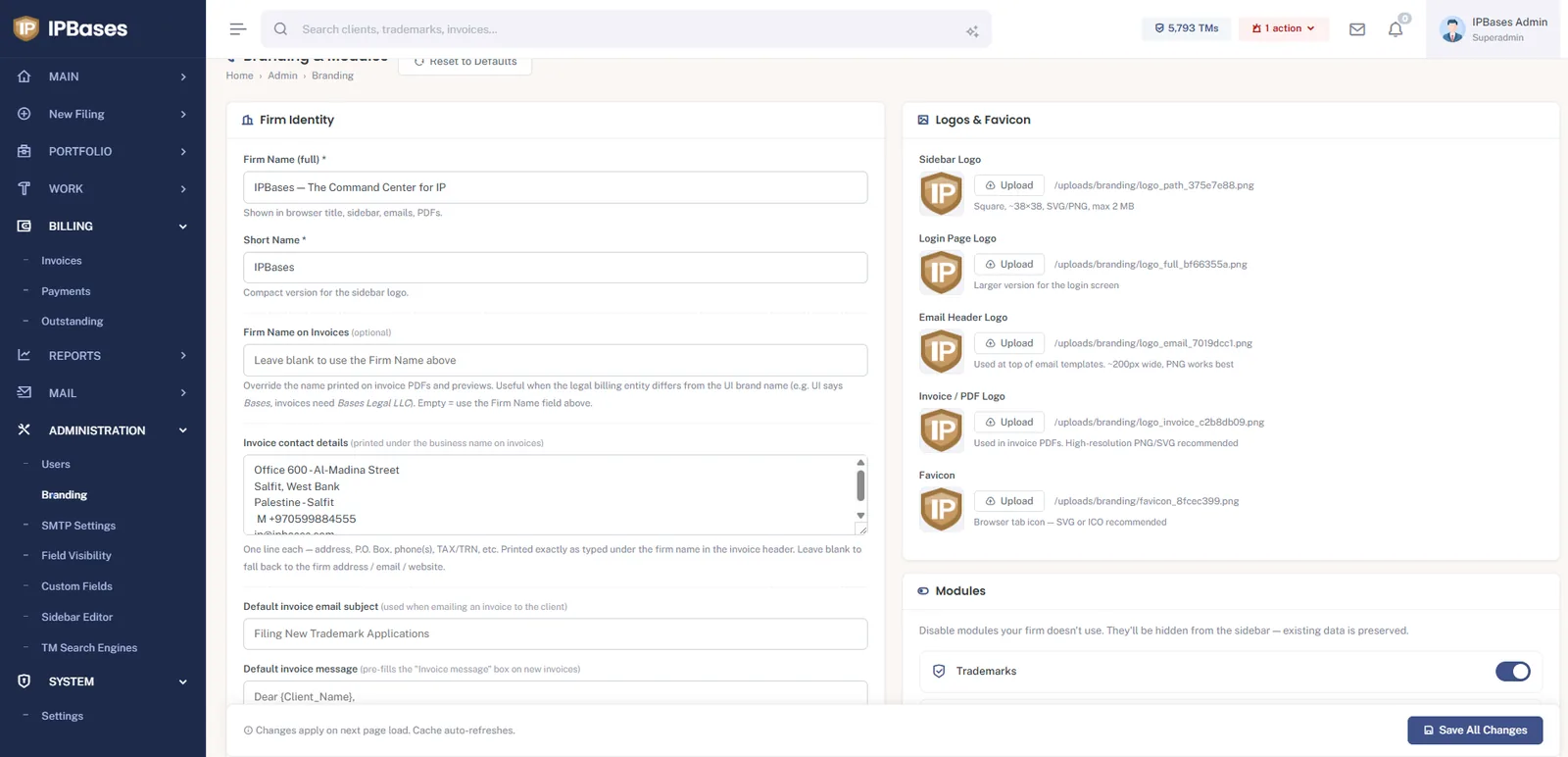
Invoices carry the firm’s identity, not the software’s: a dedicated invoice/PDF logo, your address and TRN printed under the firm name, and — a subtle but important detail — an optional separate billing entity name for when the legal entity on invoices differs from the brand the team sees in the UI. Default invoice subject and message templates (with merge placeholders) mean every invoice leaves the building consistent.
Work usually starts with a quotation, and IPBases has a dedicated Offers module for it: build the quote from your service list, set a validity date, and export a branded PDF for the client — so the number you quoted and the invoice you later raise live in the same system, against the same client. Firms that don’t quote formally can switch the module off entirely.
Invoices in the client portal carry a Pay Now button backed by Stripe Checkout. The security model is deliberately strict: opening a checkout session never marks anything paid — only a verified Stripe event confirms payment and updates the invoice. Manual payments (bank transfer, cash, cheque) are recorded in the Payments module against the invoice, and paid amounts flow straight through to the Outstanding report. The result is an IP invoice management loop with no gaps: raise → send → chase → collect → reconcile, all against the matter.
Associate routing, fee splits, multi-currency aging and online payments — built into the same system that runs your filings and renewals.
Book a demo → See pricing →