
Registering a trademark isn’t one form — it’s a route decision, a record, an invoice, a set of deadlines, and a message to the client. Here’s how IPBases turns that into one guided path, with real screenshots.
In most systems — and in every spreadsheet — “registering a trademark” means typing a row of data. But in a working IP practice, a new filing touches at least four things: the record itself, the invoice for the work, the deadlines the filing creates, and the update the client expects. When those live in four different places, things drift. The IPBases filing wizard was built so they can’t: one path, in order, with nothing left behind. This is the workflow for trademarks that generic practice software never quite delivers.
Before a single field is filled, IPBases asks the one question that determines how the mark will live for the next decade: how is it being filed?
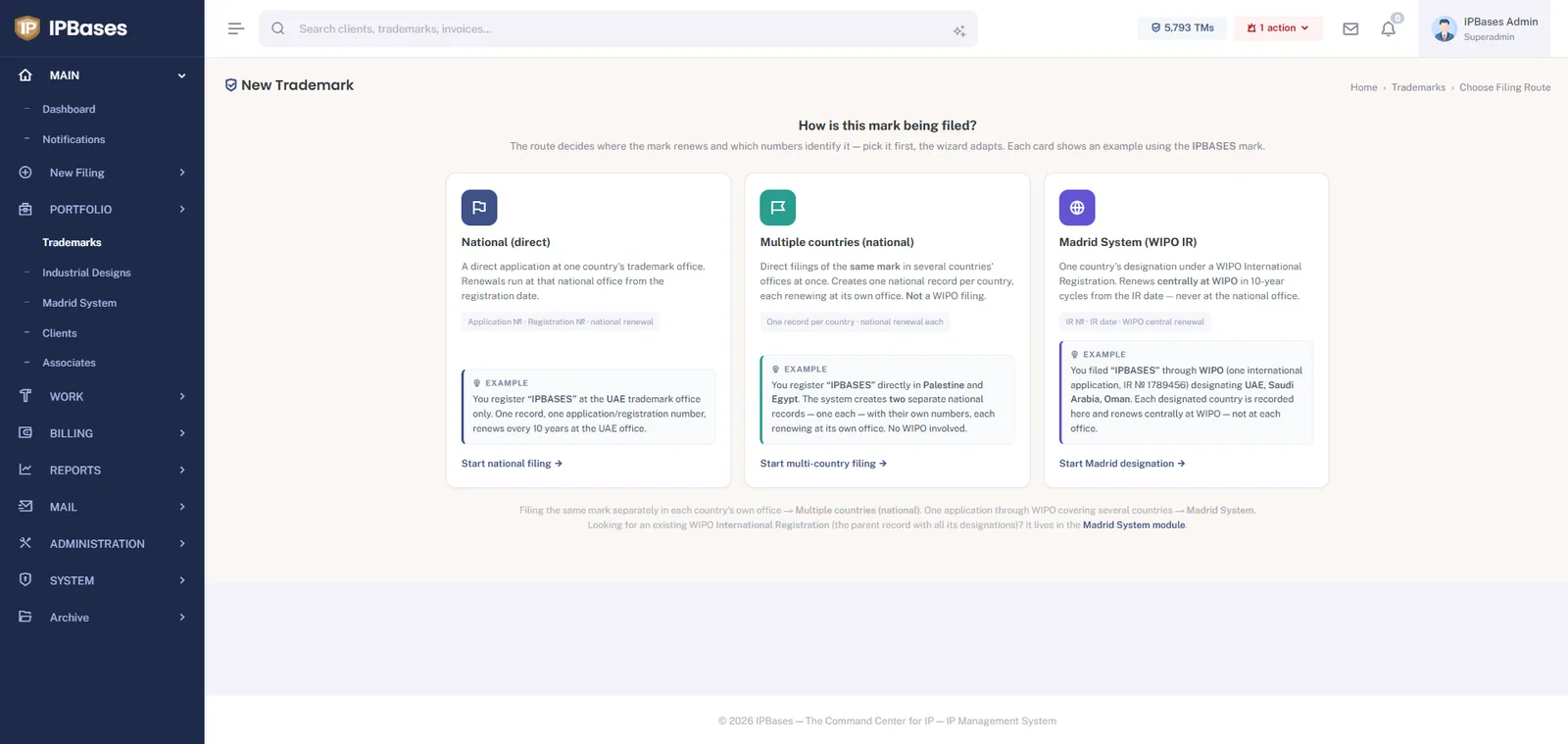
That last distinction is where portfolios quietly rot: a Madrid designation recorded as a national filing carries the wrong renewal date. Making the route a first-class choice — with an on-screen example for each — is how the mistake gets prevented at entry instead of discovered at audit. (The full background is in our Madrid Protocol software guide.)
Pick a route and the wizard adapts. Here’s Step 1 for a Madrid filing:
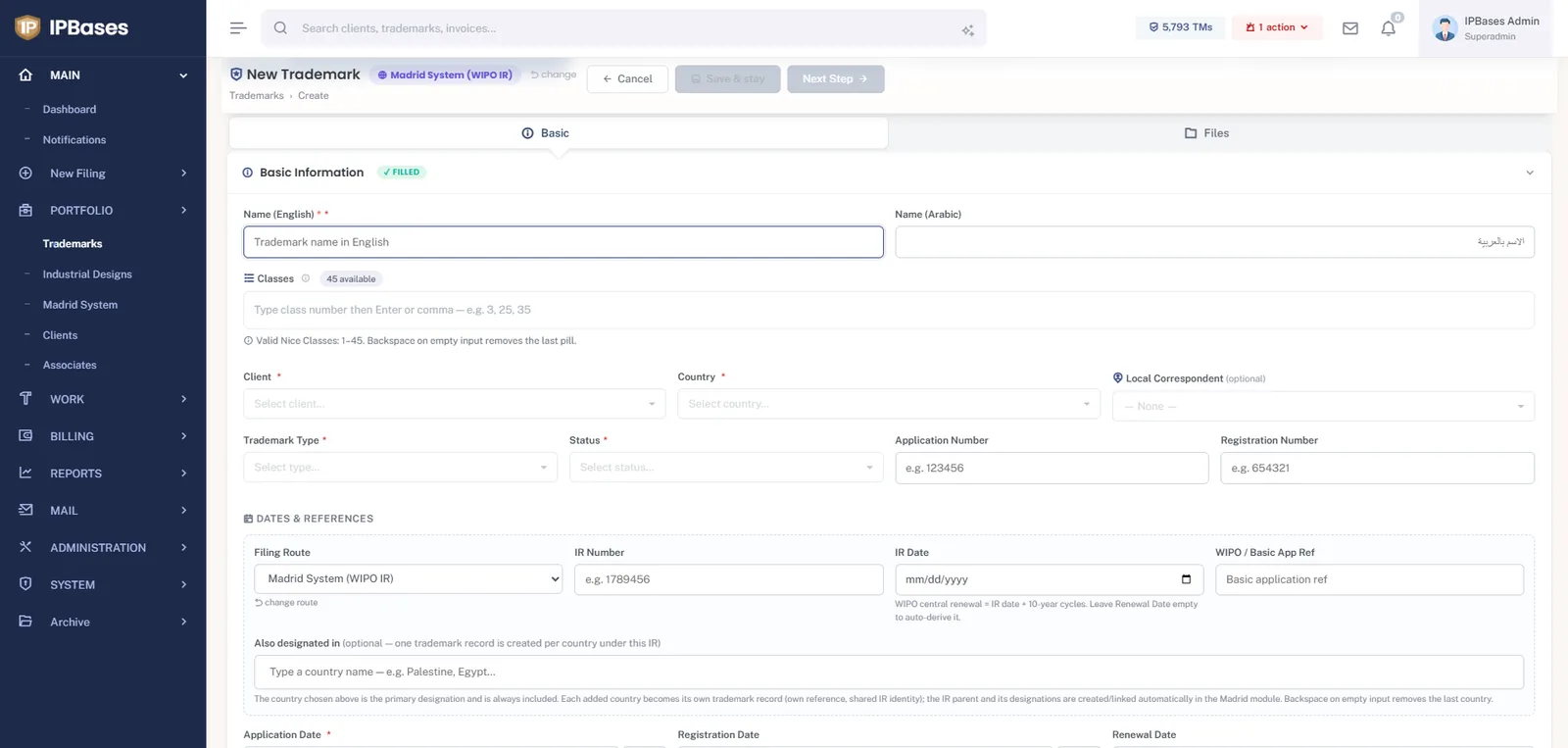
A few details worth noticing, because they’re the difference between software built for IP work and software adapted to it:
Saving the record doesn’t end the job — it starts the rest of the wizard:
Every step is also reachable later from the trademark itself, so the wizard doubles as the matter’s working checklist — not a one-time form.
Plenty of software used for trademark registration can store what you type. The wizard’s job is different: it encodes the decisions — the filing route, the renewal basis, the class validation, the designation structure — so a junior team member produces the same correct record a partner would. That’s what turns software from a filing cabinet into a filing system, and it’s why the wizard is the front door to everything else in IPBases: renewals, billing, portals and reporting all inherit a record that was born correct.
Route chooser, bilingual records, auto-derived WIPO renewals, invoice linking and client updates — in one guided path, on your own server.
Book a demo → See pricing →