
Who sees the money, whose logo is on the invoice, which modules even exist — the control layer is where IP software either fits your practice or fights it. A screenshot tour of how IPBases handles it.
Every IP practice runs differently: different fee structures, different confidentiality rules, different people allowed to see the money. Off-the-shelf tools force the firm to bend; IPBases takes the opposite stance — the system bends to the firm. This post walks through the control layer: roles and granular permissions, permission groups, branding, and module toggles, with real screenshots from the admin side.
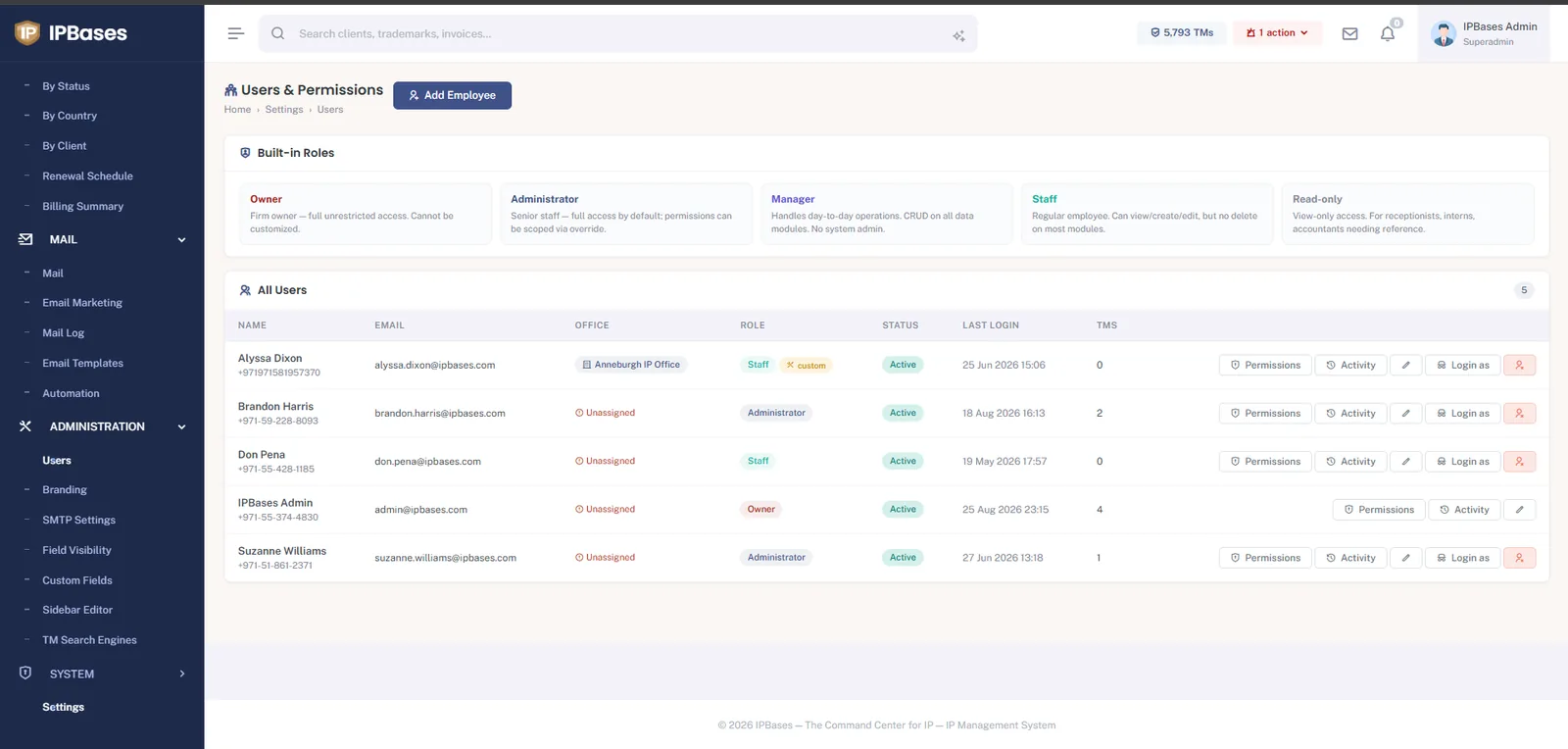
Out of the box: Owner (unrestricted), Administrator, Manager (day-to-day operations, no system admin), Staff (create/edit, no delete), and Read-only for receptionists, interns or accountants who need reference access. Users can be assigned to offices, every user has an activity trail, and admins can log in as any user — the fastest way to answer “why can’t I see X?” ever invented.
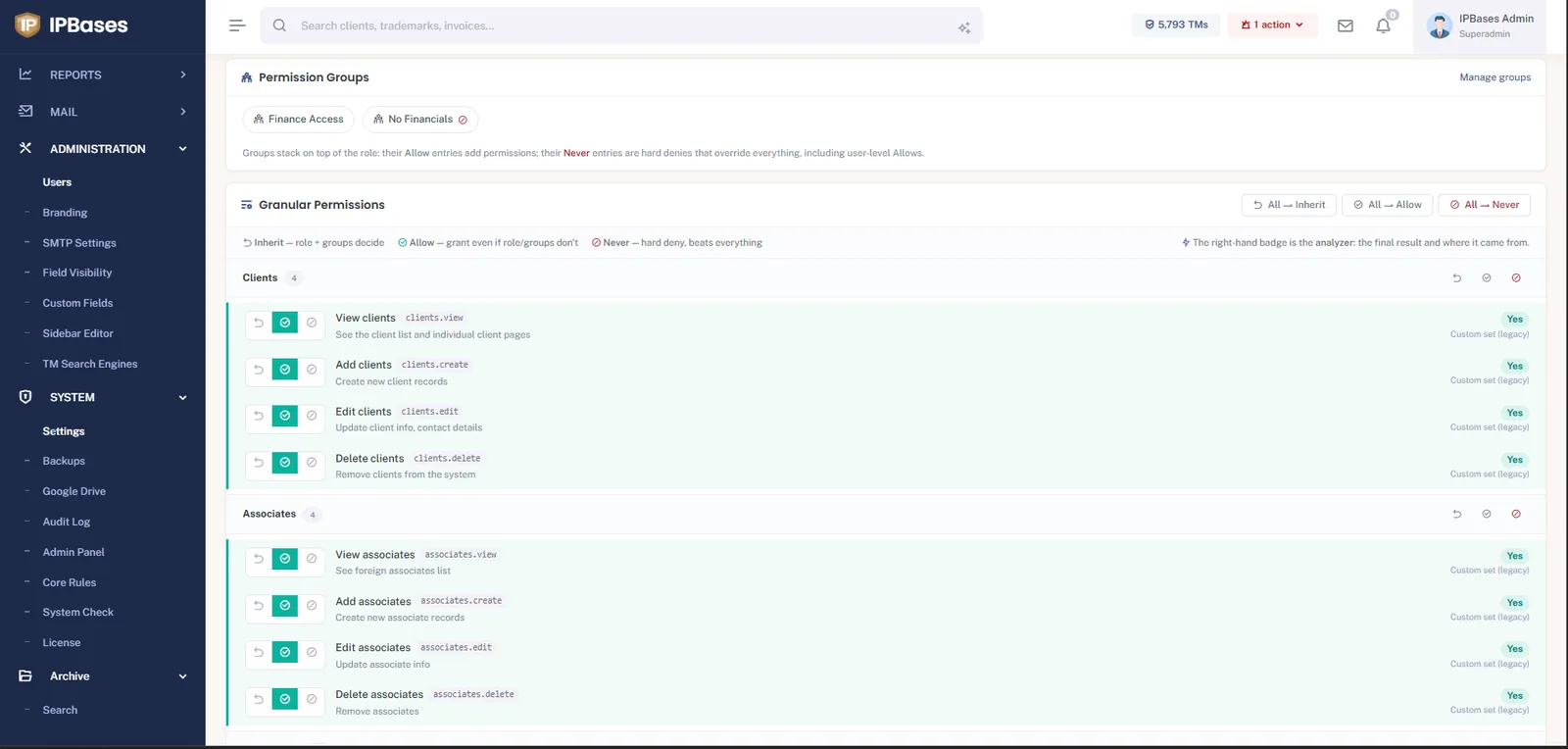
Underneath the roles sits a per-action matrix — clients.view, associates.delete, and so on — with three states: Inherit (the role and groups decide), Allow, and Never — a hard deny that beats everything, including user-level allows. Permission groups like “Finance Access” or “No Financials” stack on top of roles, so “paralegals never see invoices” is one group assignment, not twenty checkbox edits. The analyzer badge next to every permission shows the final computed answer and where it came from — no guessing why someone can or can’t do something.
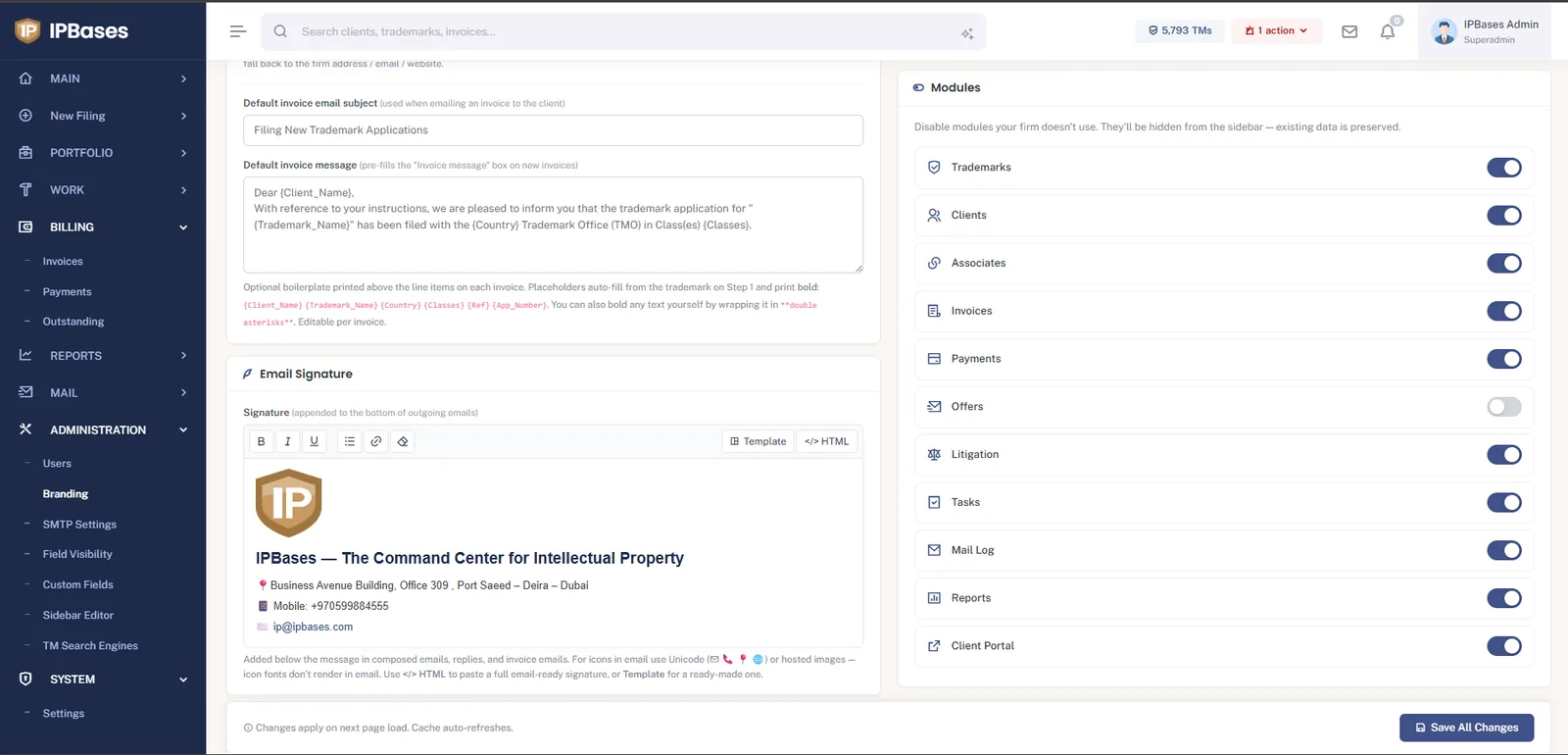
The firm’s name and logos appear everywhere the software touches the outside world: five separate logo slots (sidebar, login page, email header, invoice PDF, favicon), default invoice subject and message templates with merge placeholders, and an email signature editor whose output lands on every outgoing message. And if the firm doesn’t use a module — say, Offers or Litigation — switch it off: it disappears from the sidebar for everyone, with the data preserved if you ever switch it back on.
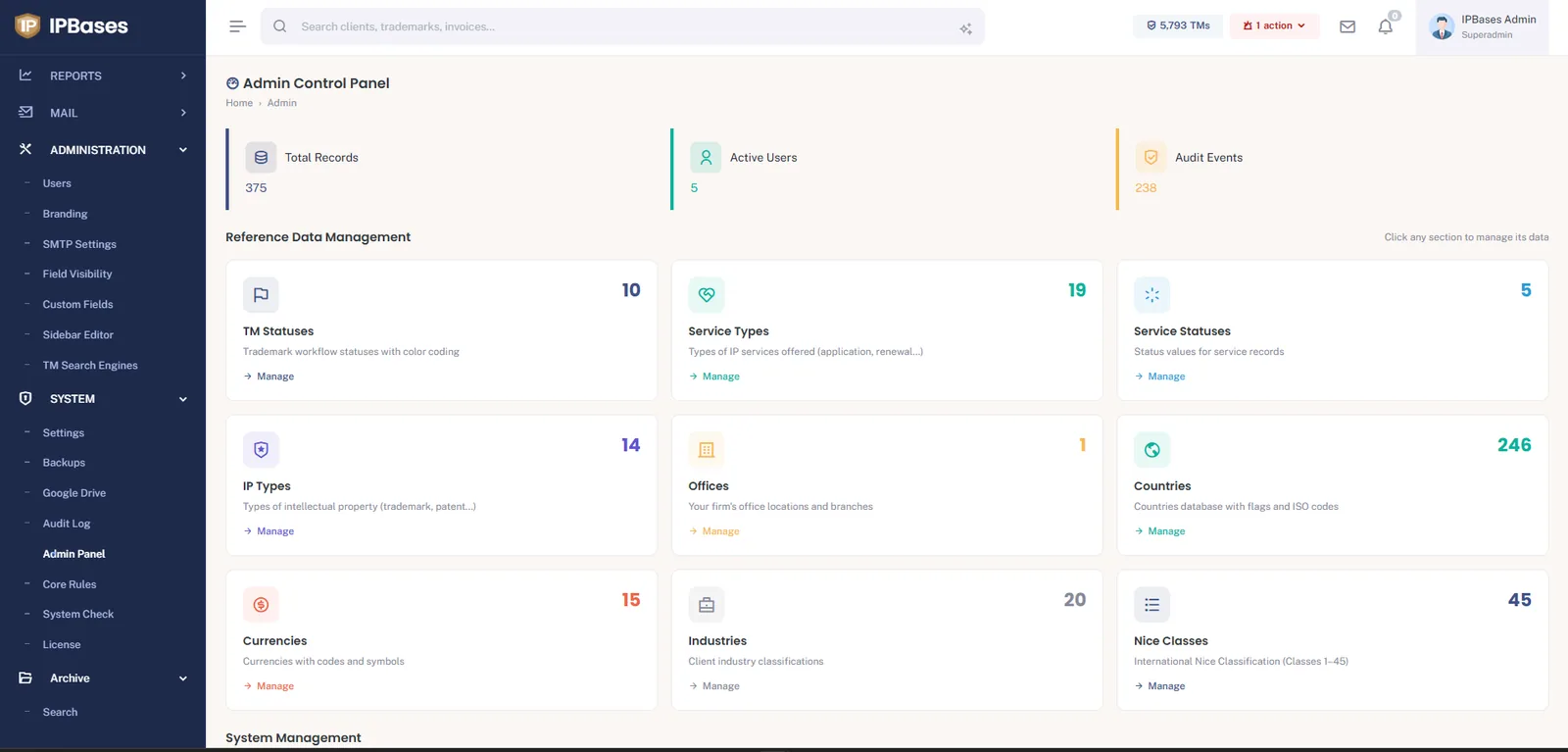
Nothing in the dropdowns is hard-coded. Trademark statuses (with color coding), service types and their fees, IP types, the firm’s offices, a full 246-country database, currencies, client industries and the Nice classes are all managed data. Add a status your local office uses, retire one you don’t, and the whole system follows.
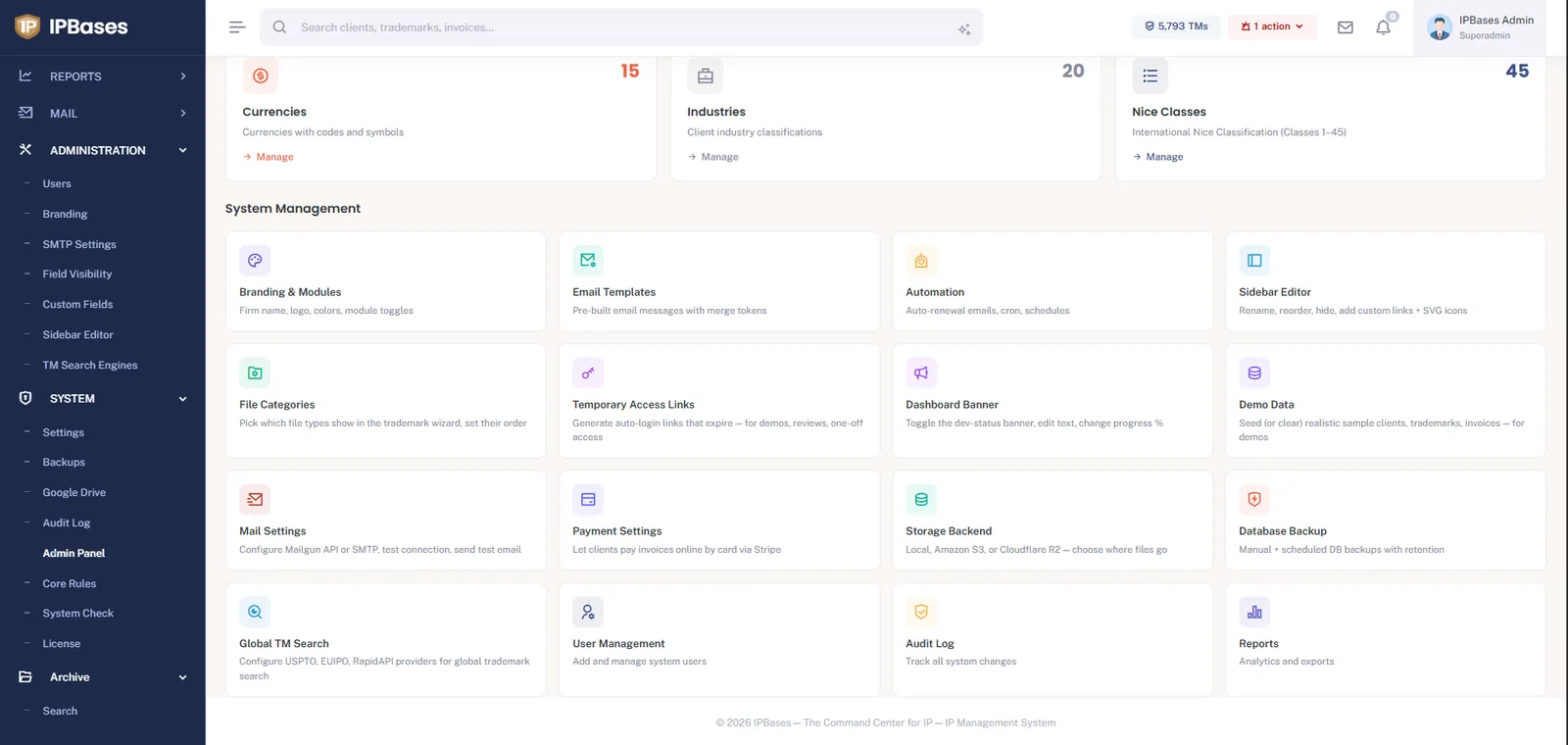
The same panel goes further than most firms will ever need: a sidebar editor (rename, reorder, hide, add custom links with your own icons), field visibility and custom fields on records, file categories that drive the wizard’s Files tab, temporary access links (expiring auto-login for demos and audits), demo data seeding for training, pluggable storage backends (local, Amazon S3, Cloudflare R2), scheduled database backups with retention, global TM search provider configuration (USPTO, EUIPO), and an append-only audit log tracking every change in the system. Because IPBases is self-hosted, all of this is yours to configure — no support ticket to a vendor required.
Roles, hard-deny permissions, white-label branding and module toggles — on a self-hosted system your firm controls completely.
Book a demo → See pricing →