
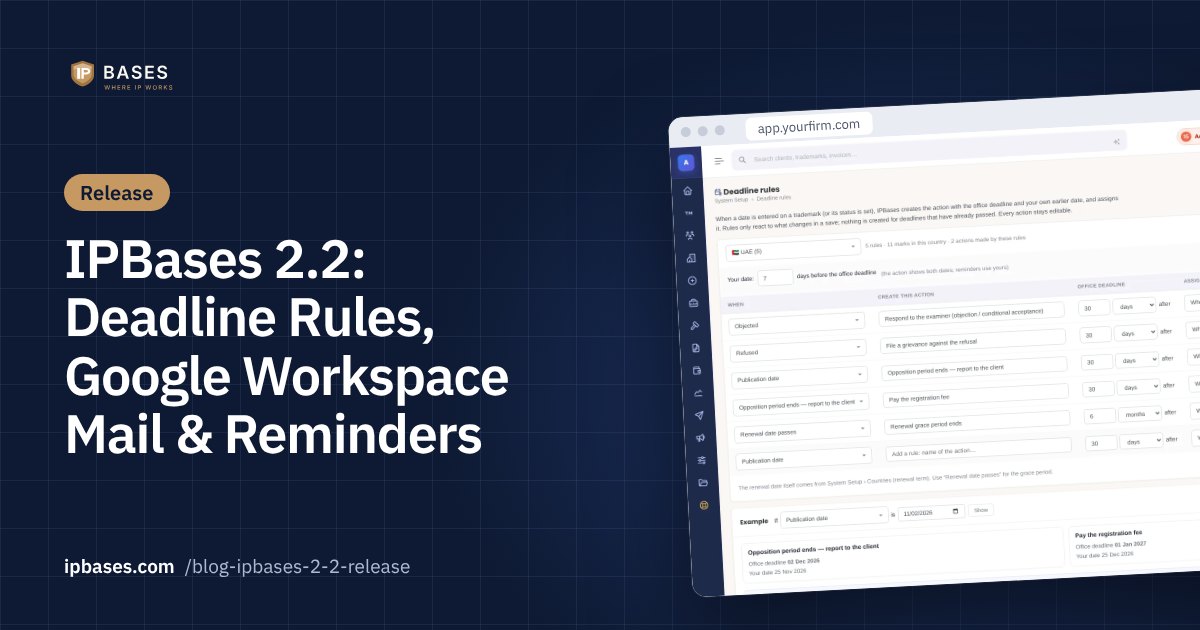
IPBases 2.2: deadline rules, Google Workspace mail and a home page that tells each person what to do
Version 2.2 is about the work that slips between people: the deadline nobody entered, the reminder nobody sent, the client email that went to a personal inbox. It is a free update for licences within their update period and installs over 2.1.2 with all data kept.
Deadline rules: the action is created when the date is entered
In System Setup › Lists & Fields › Deadline rules, each country gets its own rules in plain words: when this date is entered, or this status is set, create this action. A rule has the action name, the office deadline (so many days, months or years after), who it goes to, the priority and an on/off switch. Each country also has “your date”: the internal date, a set number of days before the office deadline (7 by default).
- Triggers: filing, publication, acceptance and registration dates, the renewal date passing, a status being set, or “after another rule”, so one deadline can count from the one before it.
- Dates that change: change the publication date and the open action it created moves with it, and so do the actions that follow it. Clear the date and the open action is removed.
- No duplicates: saving again without changes creates nothing, and a date whose deadline has already passed creates nothing.
- Normal actions: what a rule creates can be edited, re-assigned, completed or cancelled like any other action, with a small “Deadline rule” tag.
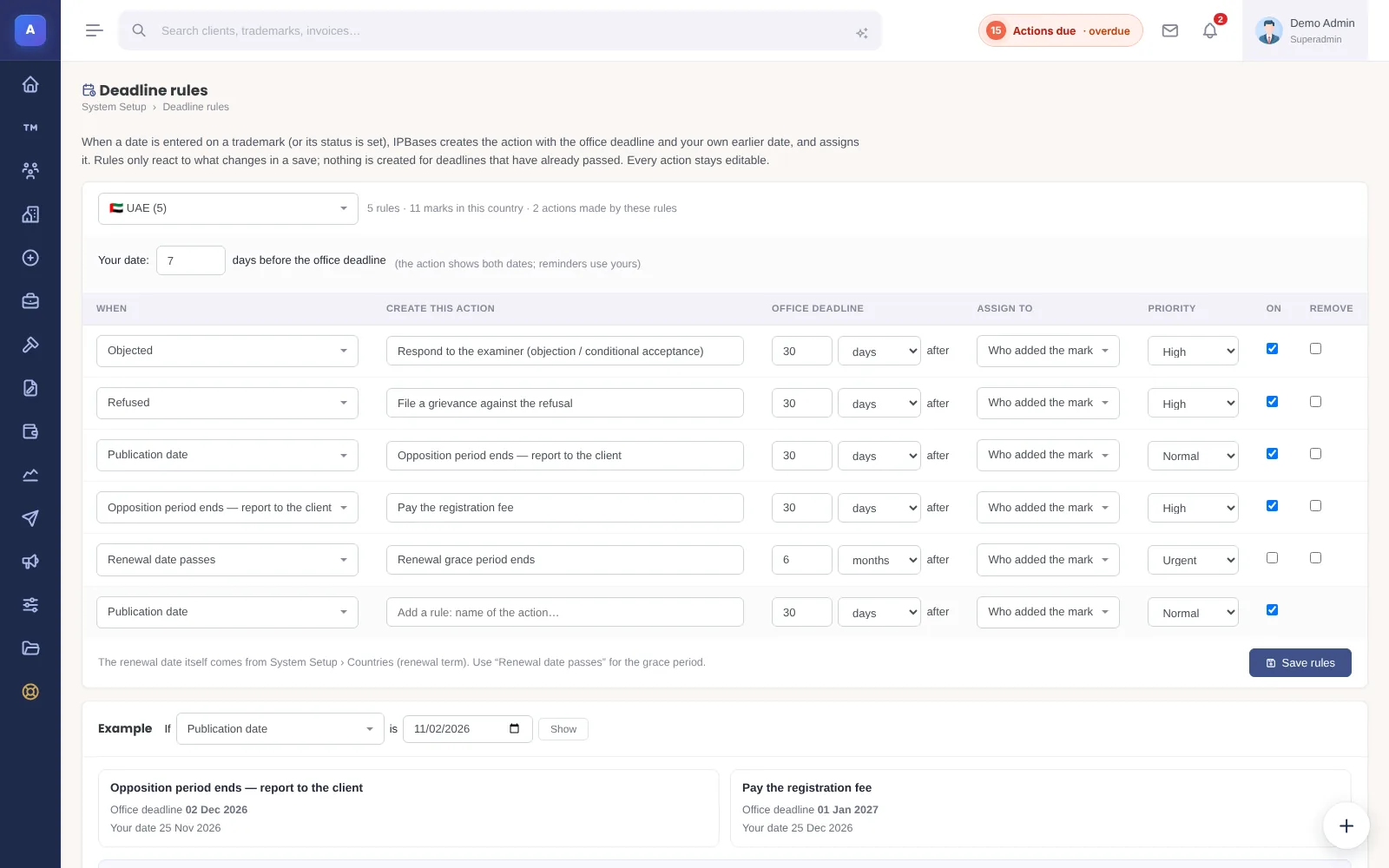
The page shows a worked example (“if the publication date is 1 November, here is each action with its office deadline and your date”), and rules can be copied from one country to another and then adjusted. A starter set is added for the UAE; every period in it can be changed and should be checked against current practice before you rely on it. Read more in automatic trademark deadlines with docketing rules.
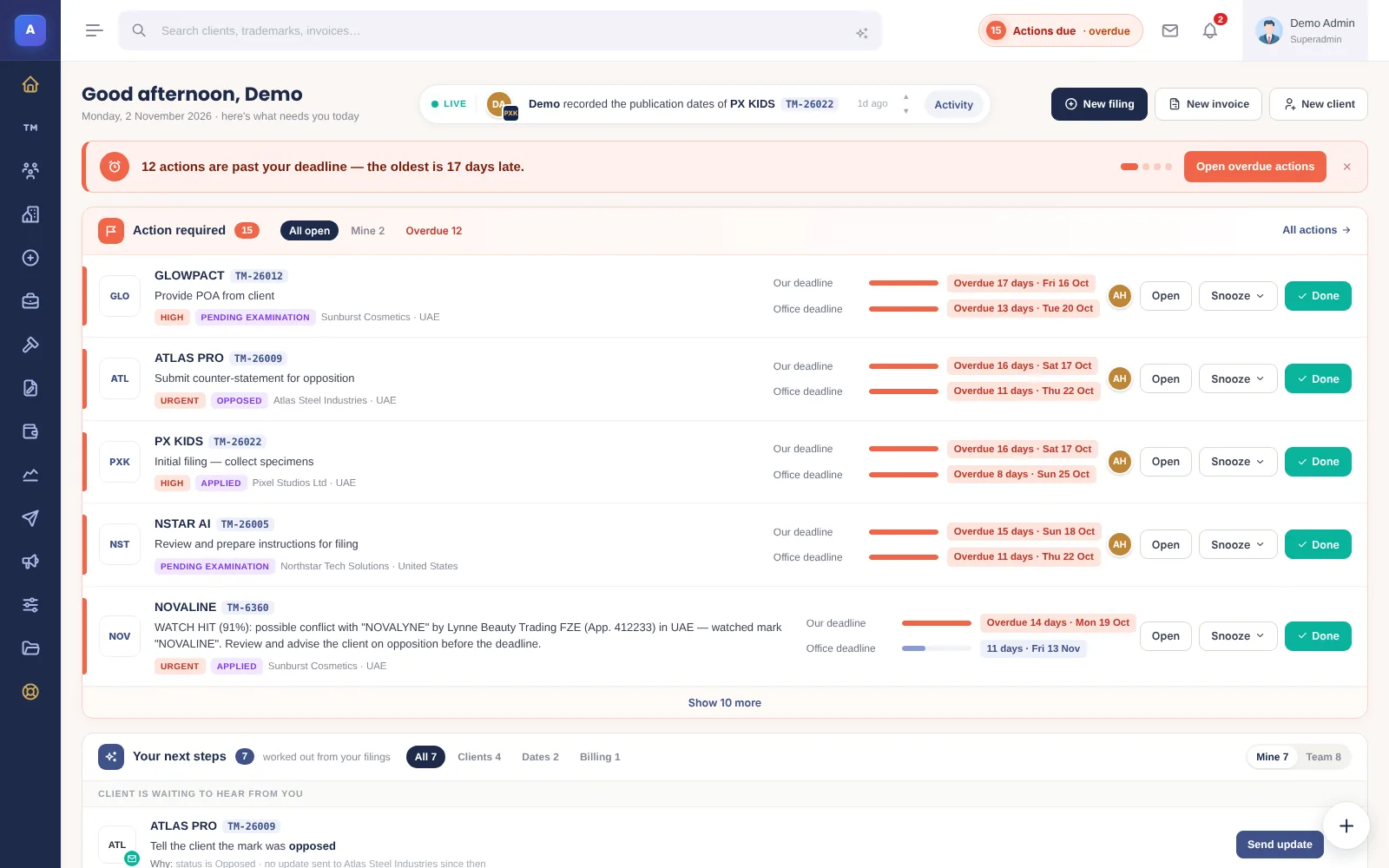
A home page that tells each person what to do now
Under the greeting, one strip shows the most urgent thing for that person, with the button for it: actions past their deadline, payment reminders waiting, marks in the renewal grace period, clients waiting for news, renewals due in 30 days and unread client emails. It shows one message at a time, most urgent first, only things that person can act on, and hides itself when nothing is waiting.
Send and receive through Google Workspace
Firms on Google Workspace can now send and receive through their own Gmail instead of Mailgun, at no extra cost. Emails go out from the firm’s address, appear in Gmail “Sent” and are signed by the firm’s own domain. Client replies come back into the right conversation in IPBases, with attachments saved to the record; spam, drafts and your own sent mail are never brought in.
- Set up once by the Workspace admin in about 15 minutes, with an “Internal” Google app, so no Google review is needed. The step-by-step guide is on the settings page.
- Choose what comes in: only mail that belongs to IPBases (the default), everything in the firm mailbox, or only mail with a Gmail label.
- Optionally, each user connects their own Gmail, so their emails go out from their own address.
- Open and click tracking and scheduled sending stay Mailgun features. Mailgun works exactly as before, and switching back is one click.
More in trademark software with Gmail and Google Workspace.
Payment reminders your team actually sends
Invoice reminders now have one clear choice: show them to my team to send (the default), send them automatically, or off. In the default, each unpaid invoice appears on its reminder day on the home page of the person who made it, with the amount left, the due date and when it was last reminded. “Send reminder” opens the email already filled in from the template; it can be edited, sent or skipped, and a sent reminder is saved in Mail with the invoice.
Reminder days are set once for the firm, before, on and after the due date, including a new reminder 7 days before. There is a “Payment Due Soon” template in English and Arabic, and a list of clients or associates who never get reminders.
Who handles what, and team follow-up
Who handles what lets an admin choose who looks after renewals, billing and client mail. Those people, plus admins and managers, see that firm-wide work on their home page; everyone else sees their own marks and actions. A “suggested from the last 90 days” list shows who really did the work.
Team follow-up is off until an admin or manager switches it on. Once a day it checks for actions still open after “your date”, actions close to or past their office deadline, work marked done after the office deadline, and payment reminders left waiting. The person is warned first; if nothing changes, the owner is told, and the person can always add their reason. The owner can accept the reason so it does not count.
Smaller changes
- A new mail reply and compose box, with Send, attach, client files and templates in one bar inside the box.
- Country filters with a search box and flags, on Files, Clients, Associates and reports.
- A “Powered by IPBases” badge at the end of outgoing emails.
- Fixes to the Files “Clear” button, filter links and the Mail screen height.
Try it yourself: the demo is now hands-on
The live demo has moved to demo.ipbases.com. It is no longer look-only: add a trademark, a client or an invoice and see what happens next. The demo resets every hour, nothing is ever emailed from it, and no account is needed.
Frequently asked questions
Is IPBases 2.2 a free update?
Yes, for licences within their update period. It installs over 2.1.2 and keeps all data, settings, uploads and branding; the database updates are applied from System Setup in one click.
Do I have to use Google Workspace?
No. Mailgun keeps working exactly as before. Google Workspace is an option for firms that want email to go out from, and come back to, their own Gmail.
Will deadline rules change actions I already have?
No. Rules only react to what changes in a save from now on, and nothing is created for deadlines that have already passed.