
Actions and deadlines
How to record what has to happen on a mark, with your own date and the office deadline, and how IPBases reminds the right person.
- ListActions (top bar counter, or the Actions page)
- On a markFiling wizard step 3, or the Actions tab
- RemindersSystem Setup › Email & Automation › Notifications
- PermissionsEdit trademarks to add, change or close actions
What an action is
An action is one thing that has to happen on a mark: file a counter-statement, collect a power of attorney, pay a publication fee. Each action has:
- What needs to happen (required)
- Our deadline: the date your team wants it done
- Office deadline: the hard date set by the office or the law
- Priority: low, normal, high or urgent
- Assigned to: a person, or unassigned
Adding and closing actions
Add actions in step 3 of the filing wizard, Action required, or from the Actions tab on the trademark page. IPBases refuses an exact copy of an open action on the same mark, so the same deadline is not tracked twice.
Done closes an action and records who closed it and when; it can be reopened. An action can also be in progress, cancelled or missed.
The actions list
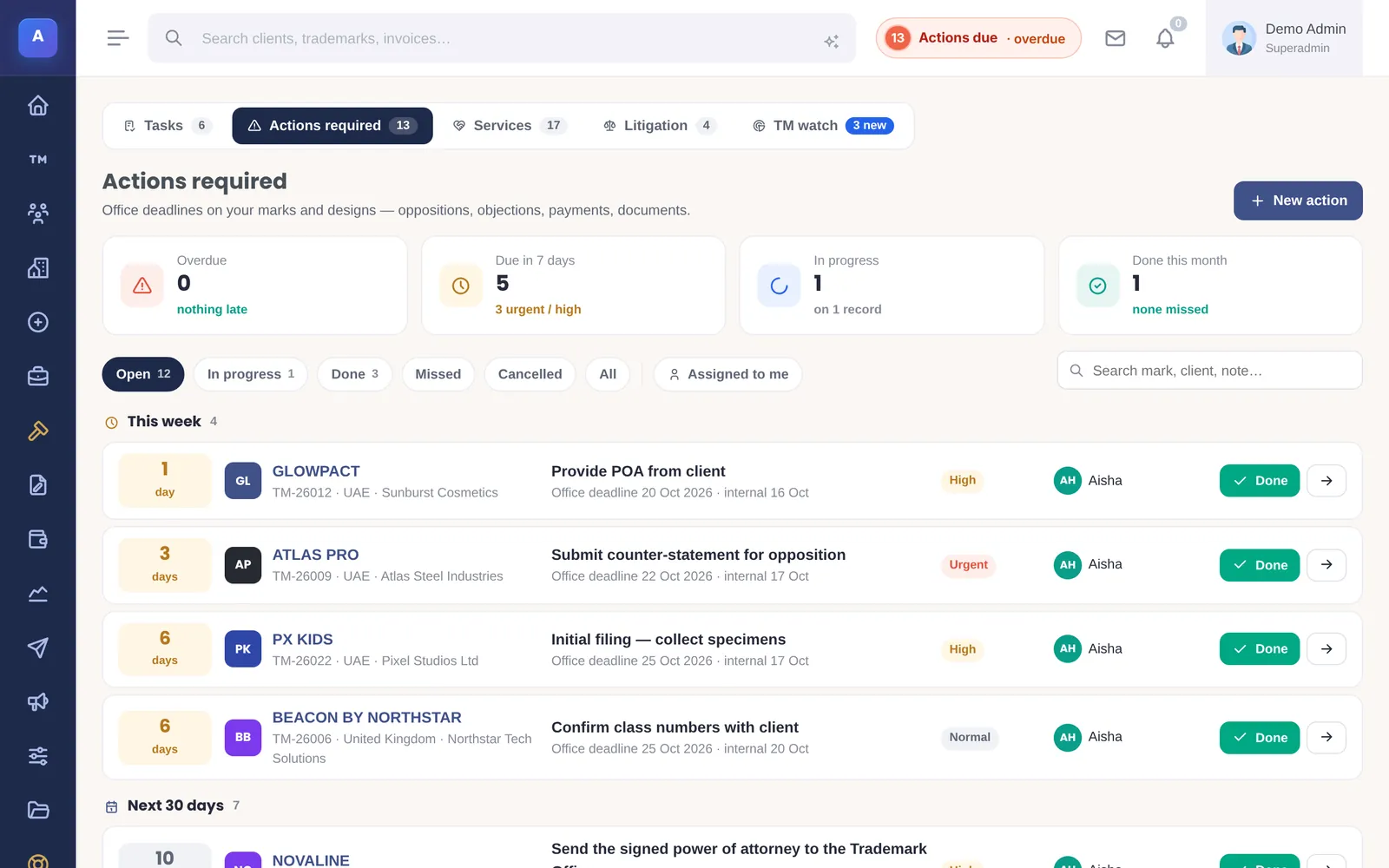
The actions list shows every action across all marks, open ones first and the nearest office deadline at the top. Tabs filter by status, and Assigned to me shows only yours. The counter in the top bar shows how many of your actions are open or overdue.
Snoozing
On the dashboard, Snooze moves your own deadline by one day, three days or a week. It never moves past the office deadline: if it would, IPBases stops at the office deadline and tells you.
Deadline reminders
When automation runs, IPBases emails the person an action is assigned to as the office deadline approaches (14, 7, 3 and 1 days before by default). Unassigned actions go to administrators. Only open and in-progress actions are included, and you can change the days in Notifications.
How it connects
This part of IPBases takes information from the parts on the left and changes what appears in the parts on the right. When you change one of them, check the other.
Uses
Something unclear or out of date? Email [email protected].