
Dashboard and next steps
What the dashboard shows each person when they sign in: the actions that are due, the next steps IPBases has worked out, and the state of the firm.
- PageHome (the first icon in the sidebar)
- Full listsAll actions; the full next-steps list
- PermissionsEveryone; money and mail need invoice and mail permissions
Action required
At the top of the dashboard is Action required: the most urgent open actions, each with the mark, what needs to happen, the client and two deadlines side by side, Our deadline (when your team wants it done) and Office deadline (the hard date set by the office or the law). The colour of each bar shows how close it is.
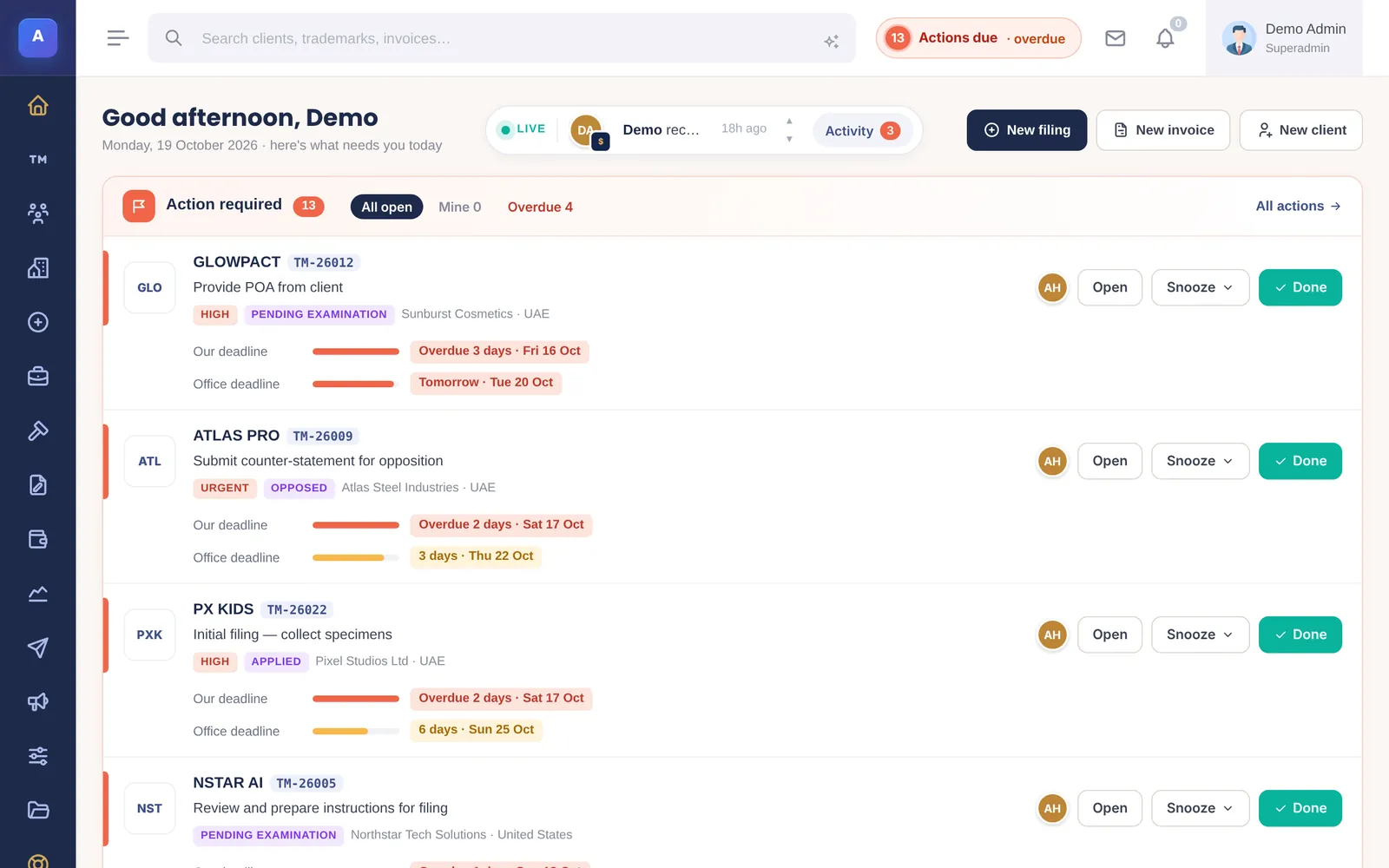
- All open, Mine and Overdue filter the list.
- Done closes the action. Snooze moves your own deadline by a day, three days or a week, but never past the office deadline.
- All actions opens the full list.
Your next steps
Your next steps is a to-do list IPBases works out from each mark’s own record: its stage, dates, files, the notices already sent and the invoices raised. Each suggestion says why it was made, for example:
- Client is waiting to hear from you: the mark was accepted or published, but that notice has not been sent.
- Dates to record: a mark is marked Published but has no publication date, or no opposition end date, so no reminder would go out.
- Billing: nothing has been invoiced on a filing yet.
- Worth a check: a possible duplicate mark, or the same file saved twice under different types.
A suggestion disappears by itself once the step is done, or when someone marks it as not needed. Staff see the marks they created or are assigned to; owners, administrators and managers can switch to the whole team.
The firm at a glance
Below the work lists are the key numbers, each compared with the same days of last month: the live portfolio, new filings this month, and, for people who can see invoices, what was invoiced and what is unpaid. Today’s priorities counts renewals in the next 30 days, marks in the grace period, overdue invoices, open actions and unread client emails.
Charts show filings against registrations and invoiced against collected, followed by the portfolio by status, the top jurisdictions and the team’s recent activity.
What each person sees
Everyone can open the dashboard, but money and mail only appear for people allowed to see invoices and mail. Quick buttons for New filing, New invoice and New client only show to people who can create them.
How it connects
This part of IPBases takes information from the parts on the left and changes what appears in the parts on the right. When you change one of them, check the other.
Uses
- Actions and deadlinesThe open actions and their two deadlines
- Trademarks and the filing wizardStages, dates and files behind each next step
- Client updates and noticesWhich notices were already sent
- Invoices and paymentsInvoiced, unpaid and overdue figures
- Renewals and remindersRenewals due and marks in the grace period
- Users and permissionsWhat each person is allowed to see
Something unclear or out of date? Email [email protected].