
Cases and litigation
How to track oppositions and other disputes against a mark, keep the case files together, and ask Claude about them.
- ListLitigation, in the sidebar
- On a markTrademark page › Cases tab
- ClaudeSystem Setup › Claude AI
- PermissionsView, create, edit and delete cases; Ask Claude separately
Cases
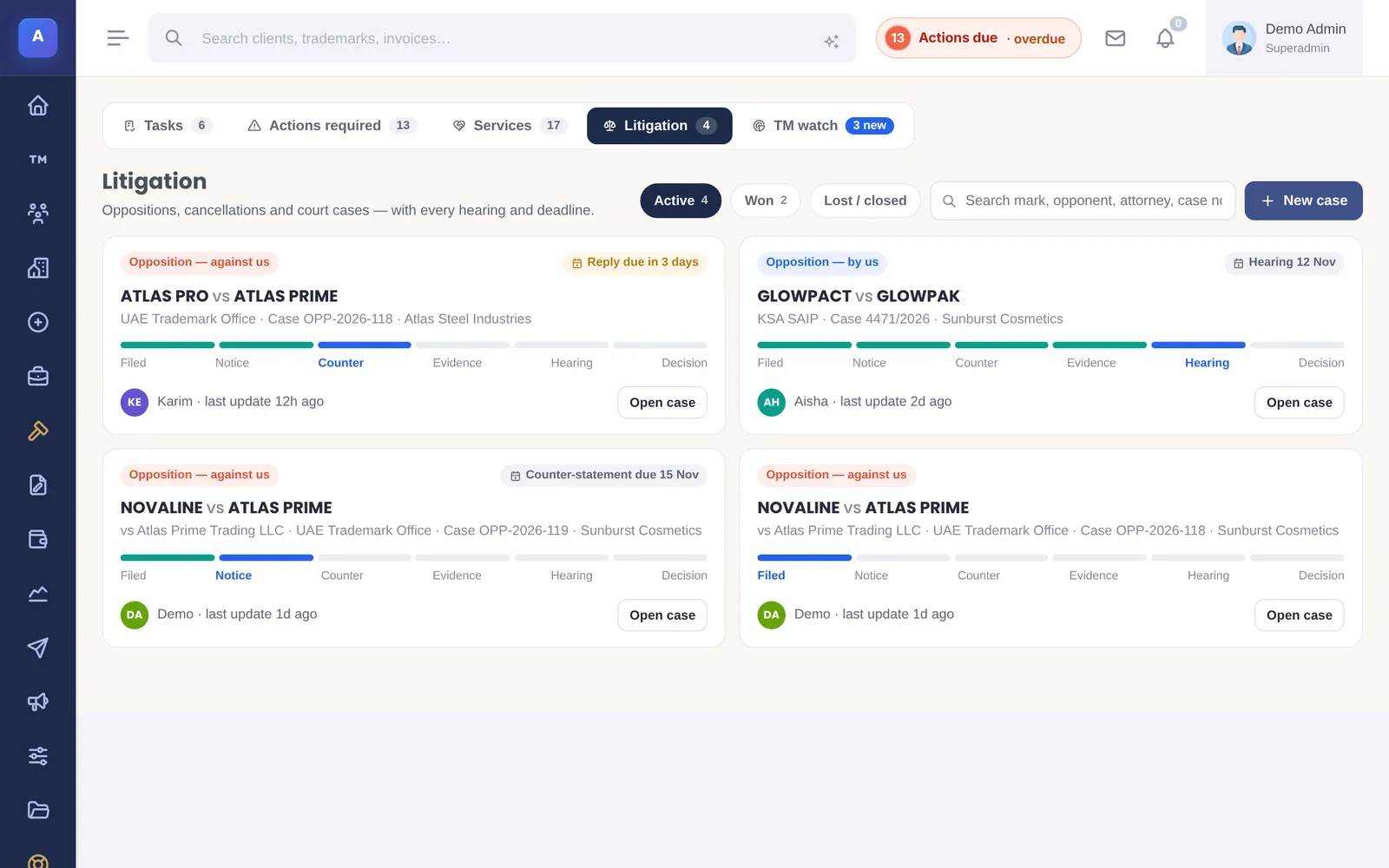
Litigation keeps oppositions, cancellations, invalidations, appeals, infringement and court cases, customs seizures and other disputes, each linked to one of your trademarks. The list shows active cases with their next step and hearing date, and tabs for on hold, won and lost or closed cases.
Opening a case
Choose Open case, or open it from the trademark’s Cases tab. Fill in:
- The case: the type, who initiated it, the country and the office or court, the case number and the date it was filed.
- The other side: their mark, their country, their attorney and contact, and their reference.
- Where it stands: the status, who handles it, the hearing date and the next deadline.
The case timeline
On the case page, log each event as it happens, for example a counter-statement filed or a hearing set. The timeline is the case’s history, newest first, with who logged each entry.
Case files
Drop PDFs, Word files or images onto the case. Each file is filed under a category such as Notice of opposition, Counter-statement, Evidence, Their mark, Our mark, Office letter, Decision or Correspondence, which you can change later.
Ask Claude about a case
If your firm has switched on Claude, each case has an Ask Claude panel. Claude reads the case files and answers questions about the case, citing the file and page it relied on. Ready-made questions include Summarise the case, Key dates from the files, Compare the two marks and Outline a counter-statement.
When Claude finds a deadline, you can add it as the case’s next step with one click, or add an answer to the timeline. Nothing is added unless you choose it.
Claude uses your firm’s own Anthropic API key and model, set in System Setup › Claude AI. Ask Claude can be switched off for a single case. Nothing is sent to Claude when it is off for the case, off for litigation, or off for the firm.
How it connects
This part of IPBases takes information from the parts on the left and changes what appears in the parts on the right. When you change one of them, check the other.
Uses
Something unclear or out of date? Email [email protected].