
Tasks
How the task board keeps your team’s own work in one place, assigned, dated and linked to the mark or client it is about.
- BoardTasks, in the sidebar
- On a markTrademark page › Tasks tab
- PermissionsView, create, edit and delete tasks
The task board
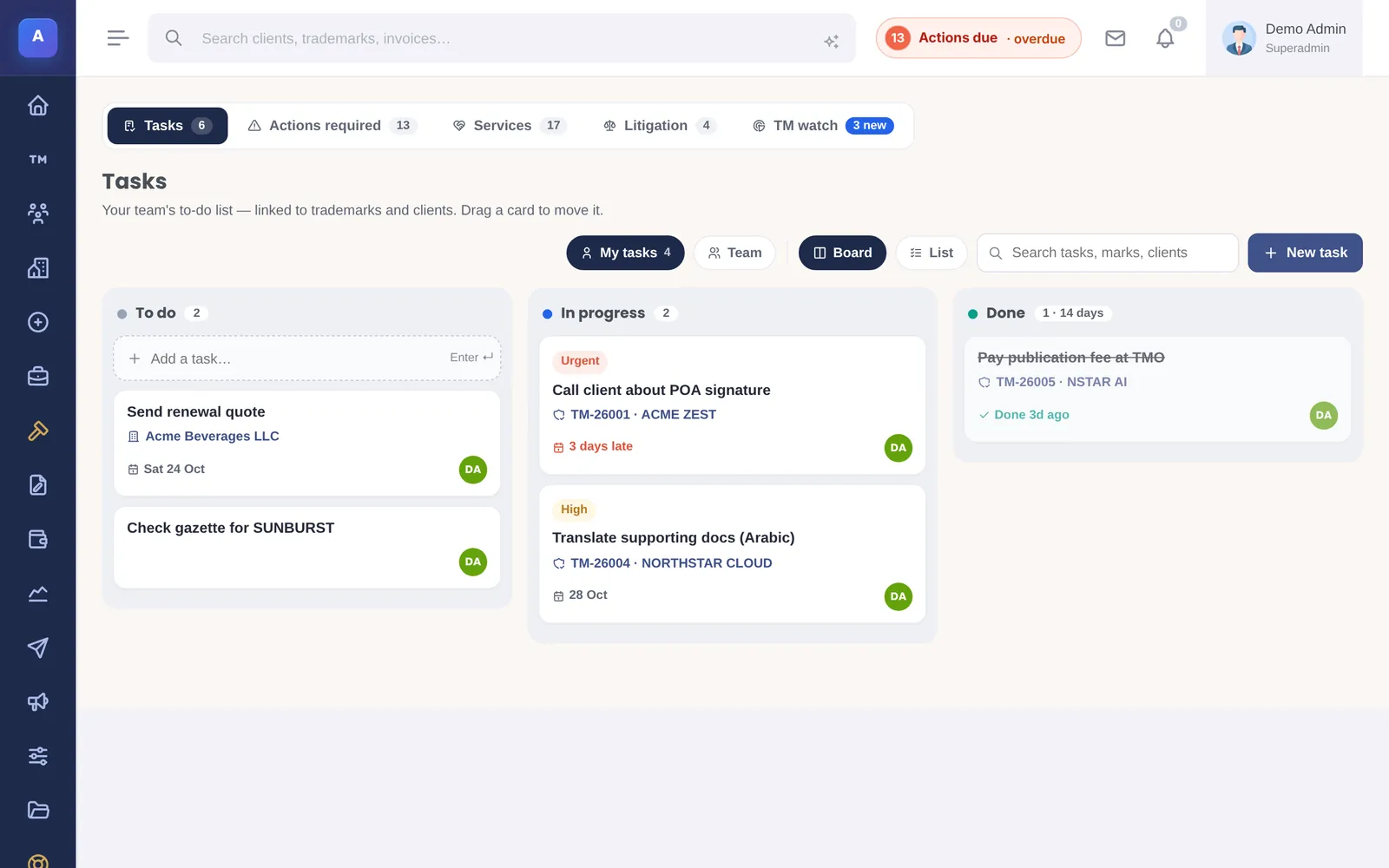
Tasks is a board with three columns: To do, In progress and Done. Drag a task to the next column when you start or finish it. Search by task, mark or client.
Adding a task
Type in Add a task… and press Enter. Then open the task to set who it is assigned to, the due date, the priority (Low, Normal, High or Urgent), notes, and the trademark or client it is linked to.
Working on a task
Open a task to see its details and comments. Comments keep the conversation about the task in one place instead of in email. When you assign a task to someone else, they get a notification in IPBases.
Tasks on a trademark
Tasks linked to a mark also appear on that trademark’s Tasks tab, so anyone opening the mark sees the work still to do on it.
Tasks are for your team’s own work. Deadlines set by an office, such as a response to a refusal, belong in Actions, where they count towards the actions-due badge and reminders.
How it connects
This part of IPBases takes information from the parts on the left and changes what appears in the parts on the right. When you change one of them, check the other.
Uses
Something unclear or out of date? Email [email protected].