
Associates
How IPBases handles correspondents and foreign agents: billing through them, rate cards, coverage and their own portal.
- PageAssociates, in the sidebar
- Rate cardRate card on the associate page
- PortalPortal access & permissions on the associate page
- PermissionsView, create, edit and delete associates; offers permissions for rate cards
Who associates are
Associates are the firms you work with abroad: correspondents who send you clients and work, and agents you instruct in other countries. Each associate has a record with a name, contact person, emails, phone, country, website, address, VAT number and notes.
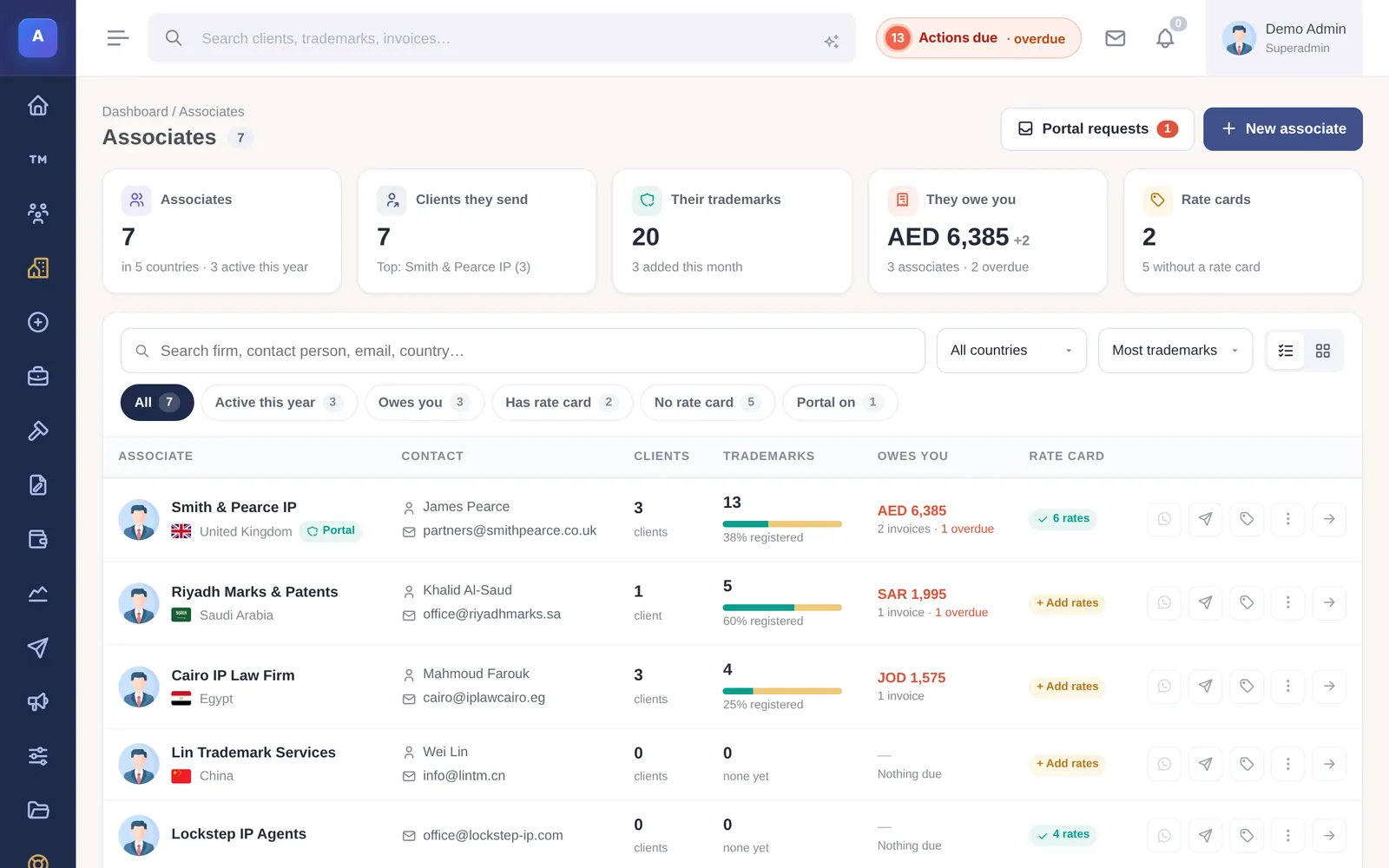
The associate page
The associate page brings together the clients they sent you, the trademarks billed through them, what they owe you, renewals in the next six months, instructions sent from their portal, their documents and an activity history.
Billing through an associate
When a client is set to Billed via associate, new work for that client is invoiced to the associate, and renewal and payment reminders go to the associate rather than the client. The associate is fixed on each mark and invoice when it is created, so a later change does not rewrite past work.
Rate cards
Each associate has a Rate card (also called the table of charges). For every service you offer, set whether it is offered, the official fee, the professional fee, the profit, the client price and a note. Fill profit from margin fills the profit column from a percentage.
- Changes you make take effect straight away.
- Rates or services the associate proposes wait for you to approve or discard them.
- Coverage lists the countries the associate handles, with a local contact for each.
The proposal studio uses these rates and countries when you prepare a quote.
Associate portal access
Under Portal access & permissions on the associate page, set a password or email their sign-in details, switch access on or off, choose what they can see and do (or follow the firm defaults), and use Preview portal as associate to see exactly what they see.
How it connects
This part of IPBases takes information from the parts on the left and changes what appears in the parts on the right. When you change one of them, check the other.
Uses
Something unclear or out of date? Email [email protected].