
Trademark watch
How IPBases compares newly published marks with your clients’ watched marks, and how a possible conflict becomes an urgent action.
- PageTM Watch, in the sidebar under Work
- TabsHits · Subscriptions · Gazette
- PermissionsView trademarks to see; edit trademarks to add entries and review hits
What the watch does
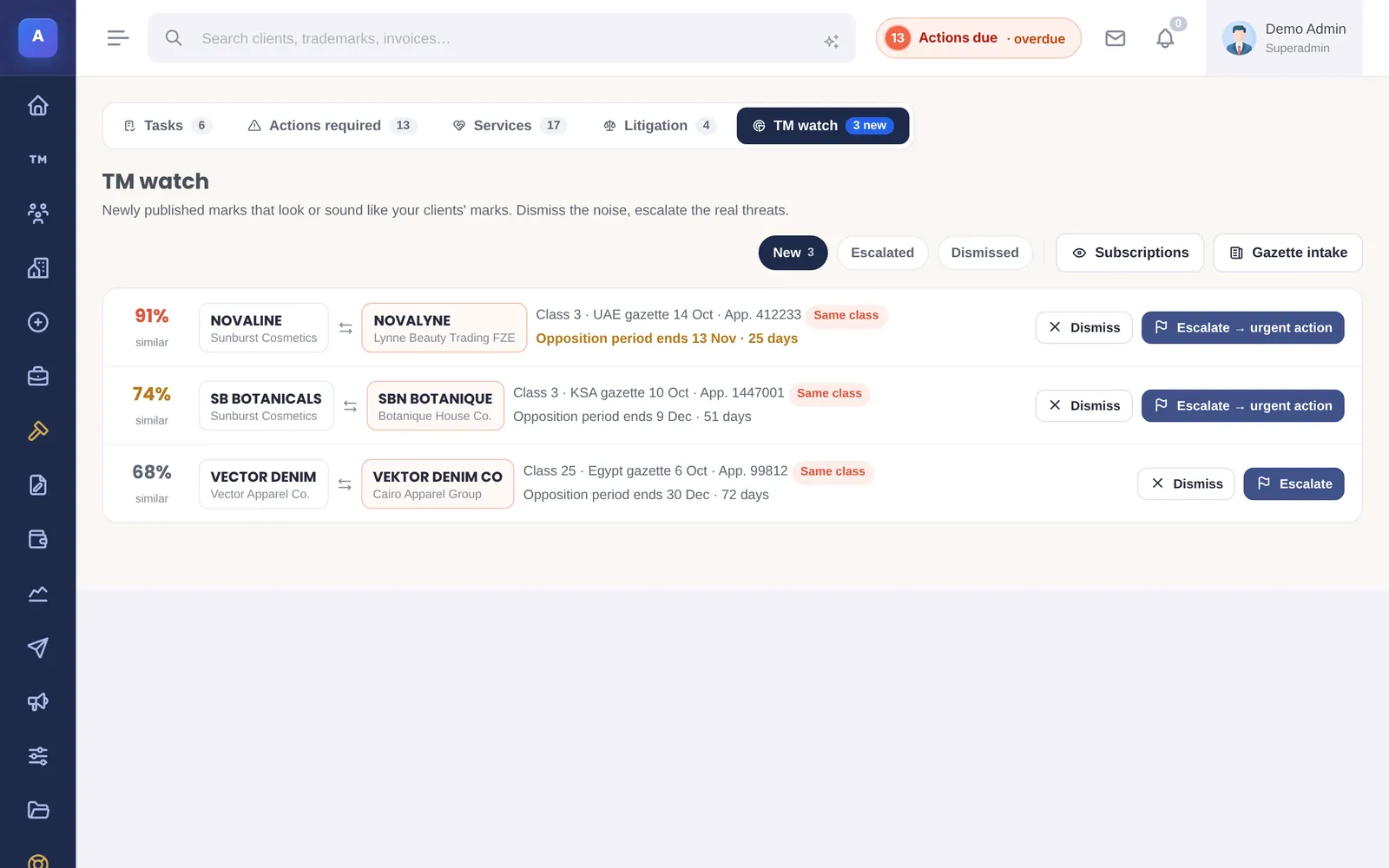
Trademark watch compares newly published marks in the gazette with the marks your clients asked you to watch. When a published mark looks or sounds close enough, in a country and class you care about, IPBases creates a hit for someone to review. It compares names in English and in Arabic.
Watch subscriptions
A subscription is one term to watch for one client. Add it under TM Watch › Subscriptions with:
- The term to watch, and optionally its Arabic form
- The client, and the client’s own trademark if there is one
- The classes and countries to watch
- Start and renewal dates, the fee and notes, if you bill for the service
When you add a subscription, IPBases checks the gazette entries already in the system straight away. A subscription can be active, paused or ended.
Adding gazette entries
Under TM Watch › Gazette, add published marks one by one (mark, Arabic mark, applicant, country, gazette reference, application number, classes, publication date and opposition deadline), or import many at once from a CSV file with at least a mark column.
Every new gazette entry is checked against all active subscriptions, and every new trademark you create is checked too. Rescan all checks everything again.
Reviewing hits
New hits wait in the New tab, highest score first. For each one, choose:
- Dismiss if it is not a real conflict.
- Escalate if it needs action. IPBases creates an urgent action on the client’s watched mark, due to you in three days, with the gazette’s opposition deadline as the office date, and alerts the team.
The same hit is never created twice, so rescanning is safe.
Who can do what
Anyone who can view trademarks can see the watch pages. Adding subscriptions and gazette entries, and reviewing hits, needs permission to edit trademarks.
How it connects
This part of IPBases takes information from the parts on the left and changes what appears in the parts on the right. When you change one of them, check the other.
Uses
Something unclear or out of date? Email [email protected].