
Branding and designs
Your firm’s details, logo, colours, email and invoice design, and the registration certificate, set once and used everywhere.
- BrandingSystem Setup › Branding
- Email designSystem Setup › Email & Automation › Email design
- Invoice designSystem Setup › Billing › Invoice design
- PermissionsBranding and settings (Owners and Administrators by default)
Firm details
Firm details hold your firm’s name, address, phone, email, website and tax number, together with the invoice number prefix, the trademark reference prefix, the default currency and VAT rate, and the bank details printed on invoices. These appear on invoices, letters, proposals and emails.
Logo and colours
Logo & colours sets your full and short firm name, your logos and favicon, the colours of the system and the look of the sidebar. Quick presets such as Dark Navy, Burgundy and Forest give a starting point, with a live preview as you change them.
The same page holds the email signature added to outgoing emails, the firm block and default message on invoices, and the modules switches, which turn parts of IPBases on or off.
Email and invoice design
- Email design: the layout, colours, logo and buttons of every email, with ready-made colour sets and a live preview.
- Invoice design: the layout and colours of invoices, the bank details box, the PAID stamp and the Arabic labels.
Because every email and invoice uses the same design, a change here updates all of them at once.
Registration certificate
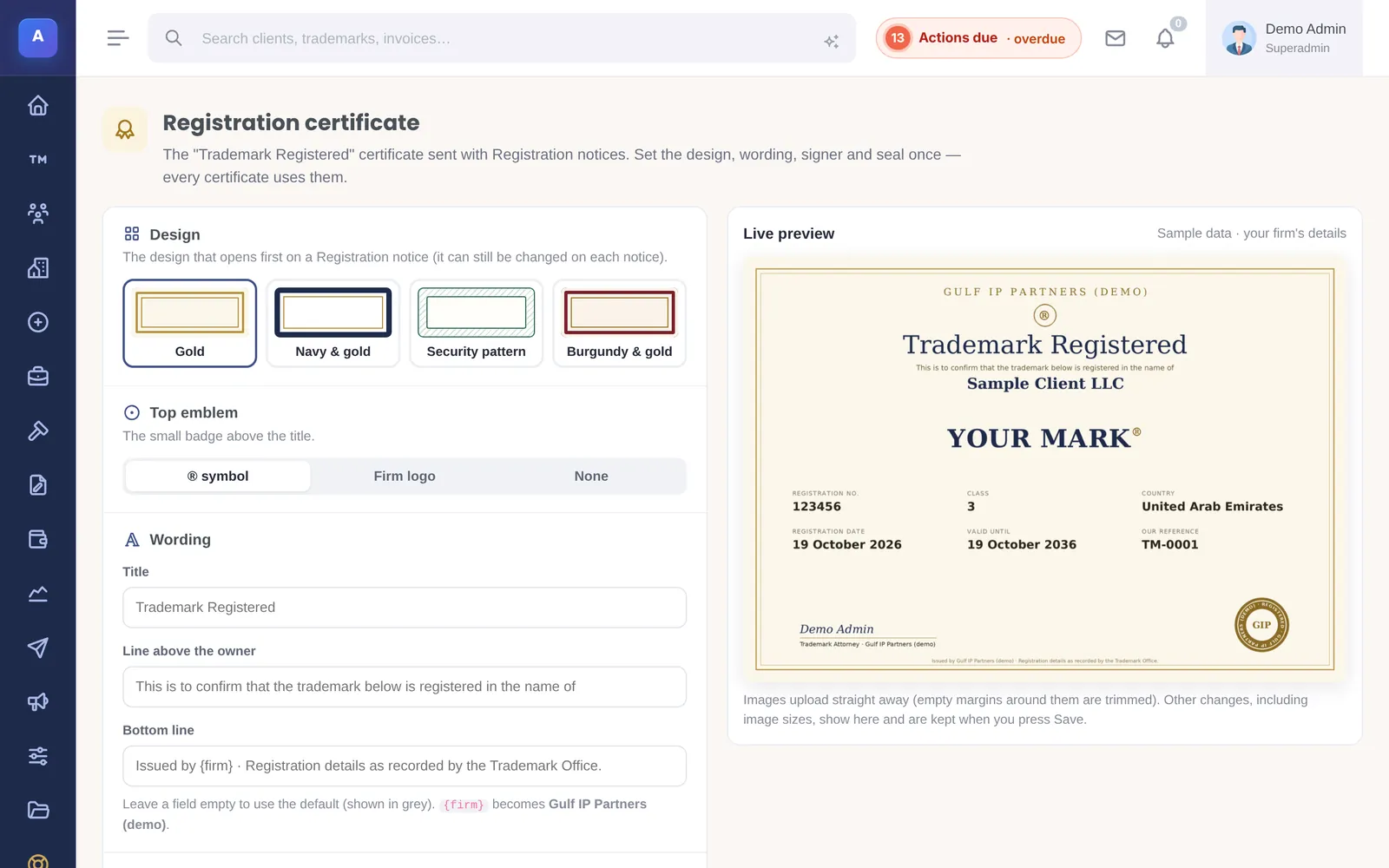
Registration certificate designs the “Trademark Registered” certificate attached to registration notices: the title, the wording, the ring text on the seal, the line above the owner and the bottom line. You can draw the signature with a mouse, trackpad or finger; it is saved as a transparent image. Leave a field empty to use the default, and check the live preview with sample data before saving.
How it connects
This part of IPBases takes information from the parts on the left and changes what appears in the parts on the right. When you change one of them, check the other.
Uses
Affects
- Email templatesEvery email uses the email design and signature
- Client updates and noticesLetterhead, colours and the registration certificate
- Invoices and paymentsInvoice layout, firm block, bank details and prefix
- Offers and proposalsFirm details and colours on proposals
- Client and associate portalsYour firm name and logo on each portal
Something unclear or out of date? Email [email protected].