
Reports
The Executive Brief, the practice and finance reports, and how to export what you see.
- ReportsReports in the sidebar
- BriefReports › Executive Brief
- PermissionsReports to view; Export reports to download
The reports page
Reports gathers every report on one page, with cards for trademarks by client, by status and by country, the renewal schedule, outstanding balances and the billing summary, plus quick exports of trademarks, invoices and renewals.
Executive Brief
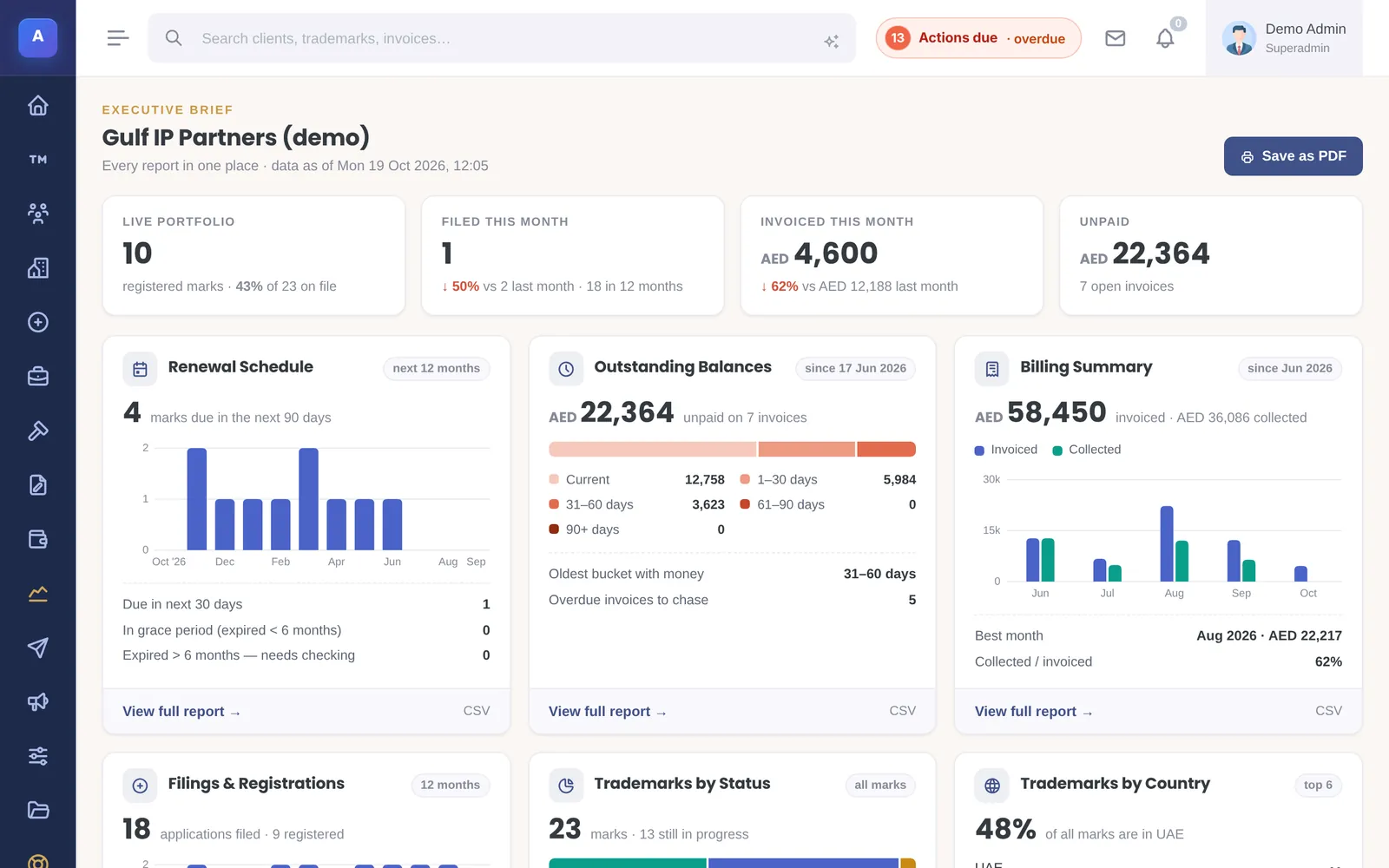
The Executive Brief puts the whole firm on one page: the live portfolio, filings this month, invoiced this month and unpaid totals, the renewal schedule, outstanding balances by age, billing collected against invoiced, filings and registrations, trademarks by status and by country, and the top clients and associates. Each card opens its full report. Save as PDF makes a copy to share.
Practice reports
- Renewals & Deadlines: upcoming renewals, the grace period, marks that need checking, and open actions. See Renewals and reminders.
- New Filings & Registrations: applications filed and marks registered in a month, quarter, year or custom period, compared with the period before, with filters for client, country and type.
- Trademarks by client, status and country: how the portfolio is spread.
Finance reports
- Billing summary: invoices raised in a period.
- Outstanding balances: what is unpaid, grouped by age: current, 1–30, 31–60, 61–90 and over 90 days.
Finance reports count invoices from the date your firm started billing in IPBases. Older invoices, for example ones brought in from a previous system, can be included when you need them.
Exporting
Most reports can be exported. The reports page offers CSV exports of trademarks, invoices, renewals, outstanding balances and the portfolio breakdowns; the trademarks list exports to Excel or PDF following your filters; the renewals report exports to PDF, Excel or CSV.
Viewing reports needs the Reports permission; exporting needs the Export permission as well.
How it connects
This part of IPBases takes information from the parts on the left and changes what appears in the parts on the right. When you change one of them, check the other.
Uses
- TrademarksStatuses, countries, filing and registration dates
- Renewals and remindersRenewal dates and grace periods
- Invoices and paymentsInvoiced, collected and unpaid amounts
- ClientsGrouping by client
- AssociatesTop associates and work received through them
- Actions and deadlinesOpen actions in the renewals report
Something unclear or out of date? Email [email protected].