
Clients
How client records work in IPBases: contacts, billing directly or through an associate, documents, and what changes elsewhere when you edit them.
- PageClients, in the sidebar
- PortalThe Portal tab on each client
- PermissionsView, create, edit and delete clients
The client list
The Clients page lists every client with their contact details, country, trademarks and what they owe, most trademarks first. Search by name, email, phone, country or associate, and filter by clients billed directly or through an associate, unpaid, renewals due and portal access.
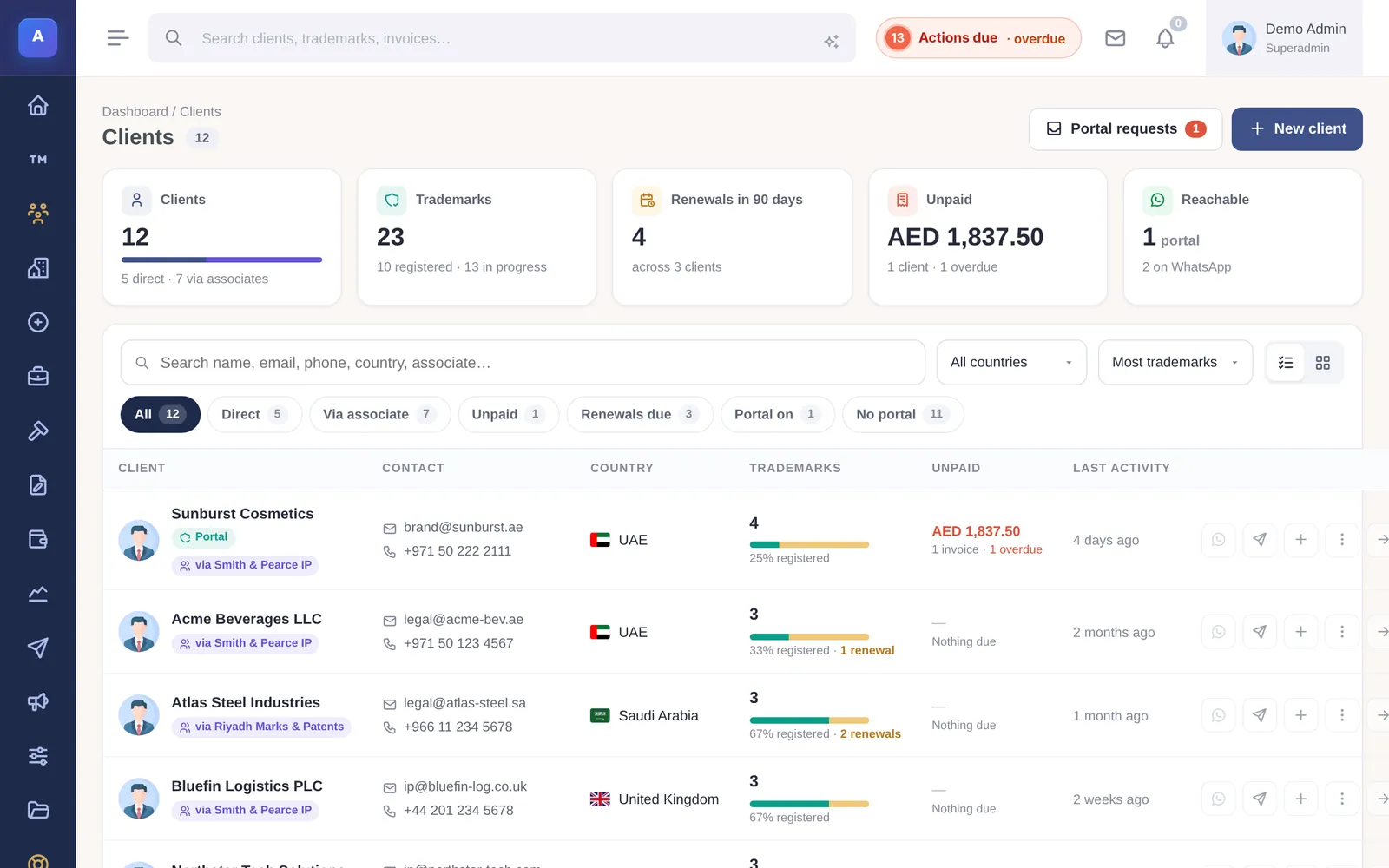
What a client record holds
A client needs a name. You can also keep their email and any extra email addresses (each with a label), phone and whether it has WhatsApp, address, country, currency, industry, nationality and ID number, VAT number, start date, notes and a photo.
The client page shows an overview with their top countries and marks, and tabs for trademarks, invoices, documents, mail, portal and activity. From the page you can email them, start a new trademark or a new invoice.
Billed directly or through an associate
Choose Billed via associate when a correspondent sends you this client. From then on:
- New trademarks, patents, designs and invoices for the client are billed to that associate.
- Renewal and payment reminders go to the associate instead of the client.
The associate is fixed on each record when it is created, so changing the client’s associate later does not change existing marks or invoices. Each change is kept, with an optional reason, under Associate routing history on the client page.
Client documents
Keep the client’s own documents, such as a trade licence, ID or power of attorney, on the client record, separate from the files of each trademark.
Deleting a client
A client who still has invoices or offers cannot be deleted. Remove or move those first. Staff can be alerted when a client is created or changed.
How it connects
This part of IPBases takes information from the parts on the left and changes what appears in the parts on the right. When you change one of them, check the other.
Uses
Affects
- TrademarksThe owner of each mark and who it is billed to
- InvoicesWho the invoice is addressed to and in which currency
- Renewals and remindersClients billed directly receive renewal reminders
- Client and associate portalsPortal access and what the client sees
- MailEmails are filed on the client and their marks
- Offers and proposalsQuotes are prepared for a client
Something unclear or out of date? Email [email protected].