
Services and expenses
How services, expenses and instructions record the work done on each mark, and how they become lines on an invoice.
- ListServices, in the sidebar
- On a markTrademark page › Add service, and the Services, Expenses and Instructions tabs
- PermissionsManage services; Edit trademarks for expenses and instructions
What counts as billable work
IPBases keeps the work you do on a trademark as separate items until you invoice them. There are three kinds:
- Services: a piece of work such as an application, publication, registration, renewal, recordal or opposition response, with a professional fee and an official fee.
- Expenses: money you paid out for the mark, such as a courier or a translation, with an amount and a date.
- Instructions: work the client instructed, with a description and an amount.
Each item belongs to one trademark, so you can always see what was done on a mark and what has not been billed yet.
Adding a service
On the trademark page, choose Add service. Pick the service type, then fill in the professional fee, the official fee, the service date (today by default), an optional due date and a status: Pending, In Progress, Completed, On Hold or Cancelled.
When you save, you return to the trademark, and the service appears on its Services tab. Expenses and instructions are added from the trademark’s Expenses and Instructions tabs.
You need permission to manage services to add services, and permission to edit trademarks to add expenses and instructions.
The services list
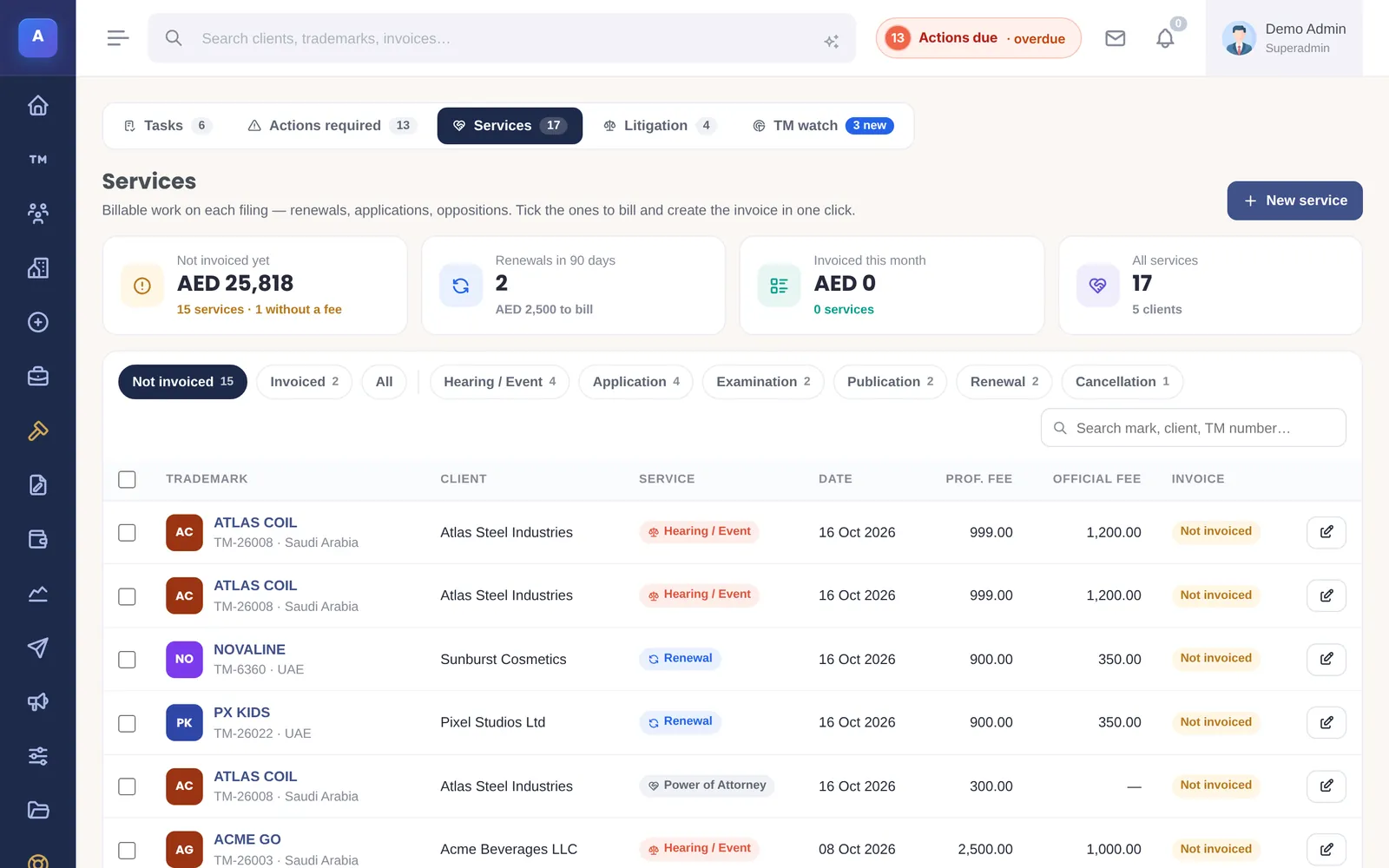
Services lists every service across all marks, with the client, trademark, date, fees and the invoice it is on. Use the Not invoiced tab to see work that still needs billing, and filter by trademark or service type.
From work to invoice
When you create an invoice for a client, every service, expense and instruction on their marks that has not been billed yet appears as a ticklist in the invoice builder. Tick the ones to bill and they move onto the invoice.
- An item can only be on one invoice. While an invoice is being created the ticked items are reserved, so two people cannot bill the same work.
- A service, expense or instruction that is already invoiced cannot be deleted.
- If you delete an invoice, its services and expenses become unbilled again and return to the ticklist.
How it connects
This part of IPBases takes information from the parts on the left and changes what appears in the parts on the right. When you change one of them, check the other.
Uses
Something unclear or out of date? Email [email protected].