
Email templates
The wording of every email IPBases sends, in English and Arabic, and how it is filled in from your records.
- TemplatesSystem Setup › Email & Automation › Email templates
- LookSystem Setup › Email & Automation › Email design
- PermissionsSettings management (Owners and Administrators by default)
What email templates are
Every email IPBases writes for you starts from a template: renewal reminders, overdue invoice reminders, client notices at each stage of a trademark, deadline reminders and the sign-in codes sent to staff. The template holds the subject and the body; IPBases fills in the details from the record when the email is sent.
Each template has a name, a category and a language, English or Arabic. Where a message exists in both languages, IPBases picks the one that fits: for trademark emails, the Arabic version is used when the mark has an Arabic name.
The templates IPBases uses
- Renewals: the renewal reminder, sent by hand or automatically.
- Client notices: filing, acceptance, publication and registration notices, certificate issued, publication and registration fee reminders, and documents needed.
- Deadlines: action deadline, design priority, annuity and patent reminders (provisional conversion, PCT national phase and office action responses).
- Billing: the overdue invoice reminder.
- Sign-in: the emailed sign-in code and the password reset code.
You can add your own templates for anything else you send often.
Editing a template
Open System Setup › Email & Automation › Email templates and choose a template. Change the subject and body and watch the live preview update as you type. You can also duplicate a template to start a new one from it, or switch a template off.
Details from the record are written as placeholders in double curly brackets, for example {{client.name}} or {{trademark.ref_number}}. Keep these as they are; IPBases replaces them with the real values when it sends the email.
Sending an email from a template
From the template list you can send a template on its own: pick the client, trademark or invoice it is about, or type an email address, then send it. The email is filled in from that record, sent through your mail setup and kept in the mail log.
Wording and design are separate
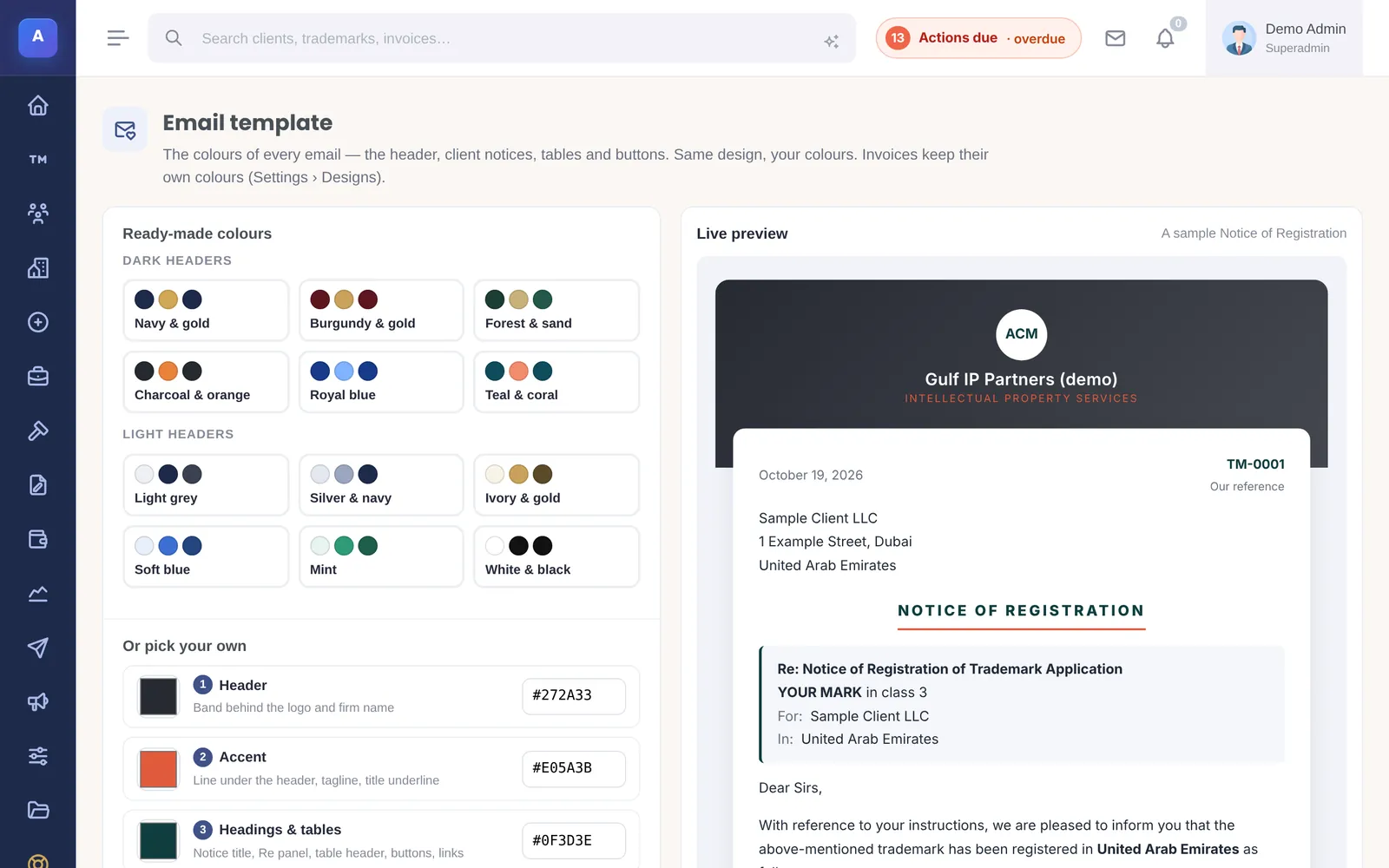
Templates control the words. The look of every email (the header, colours, logo, tables and buttons) comes from Email design and is shared by all templates, so changing your colours once changes every email.
How it connects
This part of IPBases takes information from the parts on the left and changes what appears in the parts on the right. When you change one of them, check the other.
Uses
Affects
- Renewals and remindersThe wording of every renewal reminder
- Client updates and noticesThe wording of each milestone notice
- Automation and notificationsThe template each automatic reminder uses
- MailEvery email sent from a template is kept in the mail log
- Sign-in and securityThe sign-in and password reset codes
Something unclear or out of date? Email [email protected].